
 1 MIN READ
 UPDATED MAY 12, 2026
- Log into Toku
- Click on Organization Settings
- Click on “Admin Management”
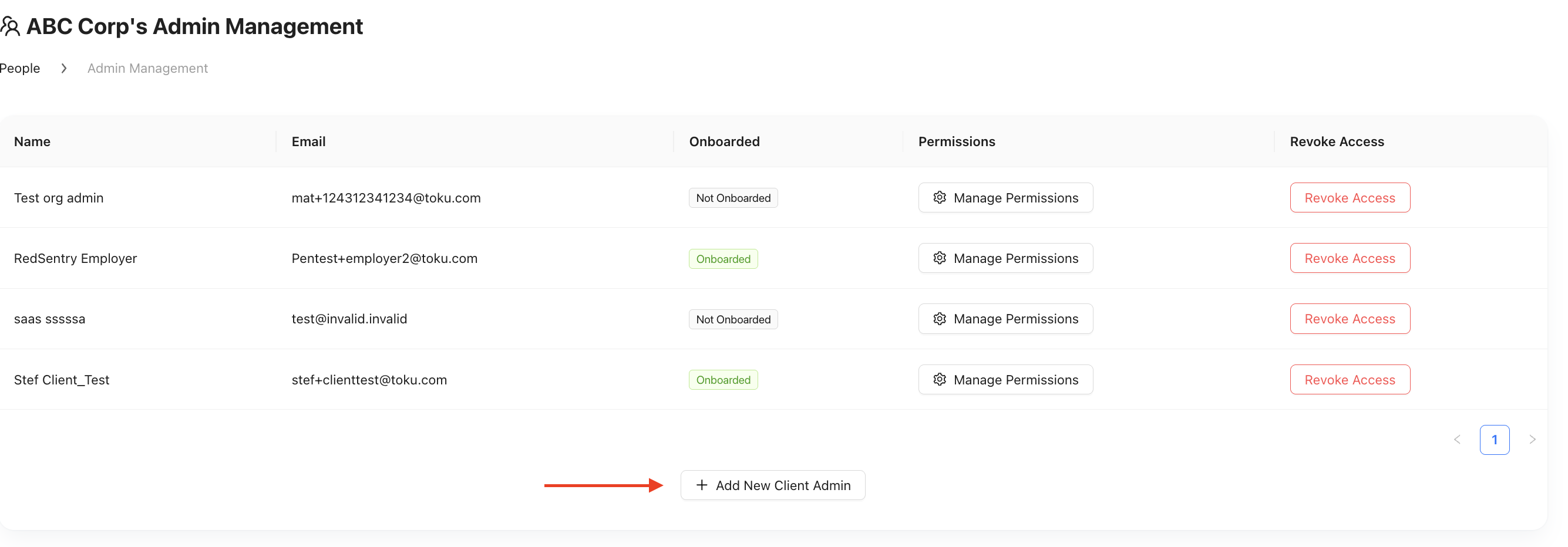
- Adding a new Org Admin To add a new Org Admin, click on the “+Add New Client Admin” button.
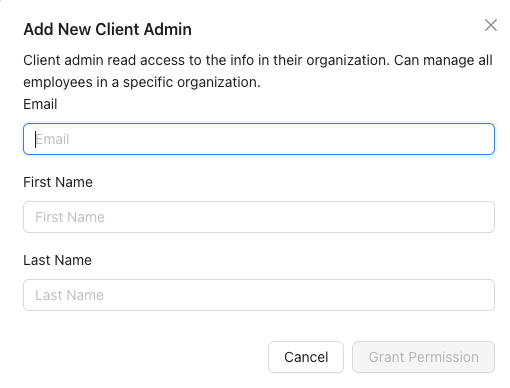
- Full out the first name, last name, and email address for this new admin and select “Grant Permission”
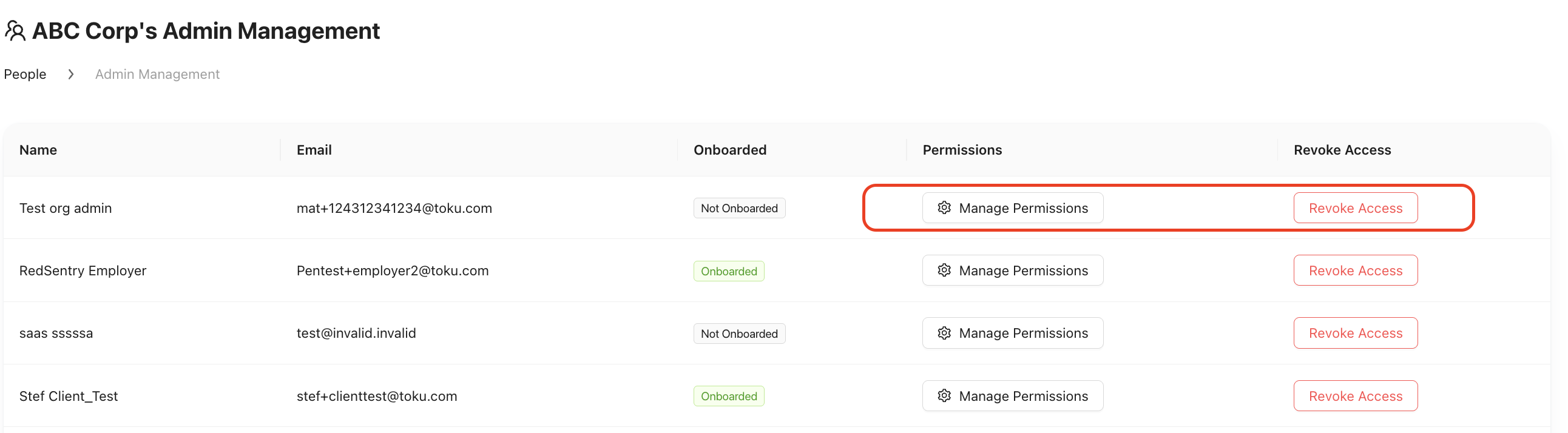
- Revoke or Manage Permissions
- You can now choose to either entire remote an org admin access by selecting “Revoke Access” or select “Manage Permissions” to only give them specific access to HRIS features
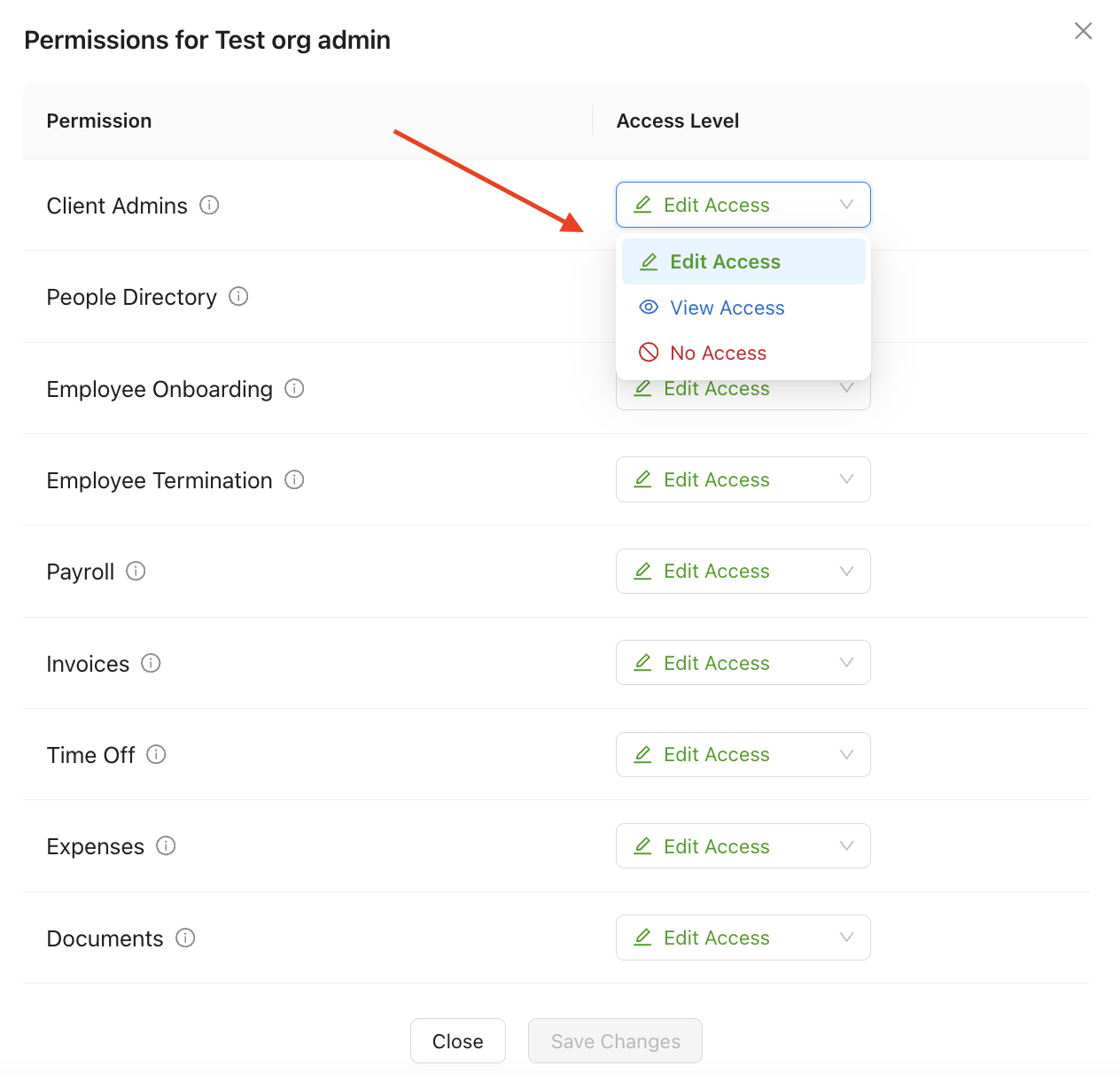
- Access levels vary between Edit, View or No Access. Pleasure ensure once you select your Access Level that you click on “Save Changes”.
Email Notification Settings
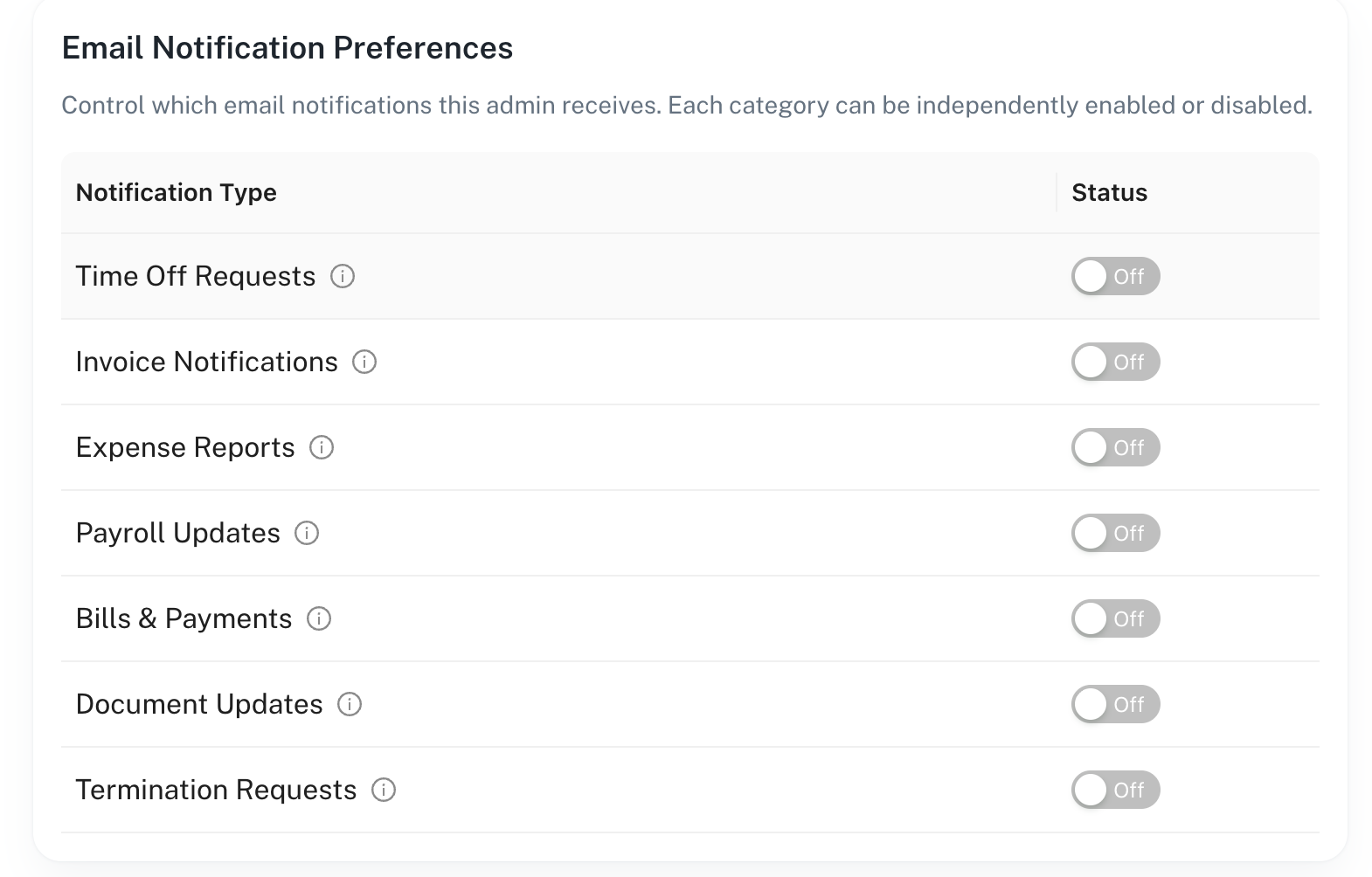
To adjust your email notifications follow the steps below in the same admin management section
First select Manage Permissions next to the admins name:
Toggle on or off each notification type:
CONFIDENTIALITY NOTICE: resource and any attachments are only for the use of the intended recipient and may contain information that is privileged, confidential or exempt from disclosure under applicable law. If you are not the intended recipient, any disclosure, distribution or other use of these resources or attachments is prohibited. If you have received this resource in error, please delete and notify the sender immediately. Thank you.