
 5 MIN READ
 UPDATED NOV 3, 2026
📘 For organization administrators on Toku. Last updated October 30, 2026.
Add a single employee or contractor to your organization and trigger their onboarding. They'll receive an email with instructions to complete their profile and activate their account.
Before you start
- Initiate onboarding at least two weeks before the contributor's expected start date to allow time for registration, tax forms, benefits enrollment, and contract signing.
- For full-time employees, the start date must be at least 5 days out - an earlier date shows the warning "Start dates must be set at least 5 days in advance to ensure compliant onboarding." You can still submit it by ticking "I understand this request is not confirmed until Toku reviews it, and that the start date may change." The request is then not in effect until Toku reviews and confirms it, and the start date may change.
- Gather the contributor's information: first and last name, email address, country of residence, job title, job description, start date, and employment type.
- Determine the employment type: EOR Employee or PEO Employee for full-time hires, or Contractor for independent contractors - contractors also need an engagement model (Client Managed, or Agent of Record). Each option has different pricing and terms.
Navigate to the People section
- Log in to Toku and open People in the left-hand menu.
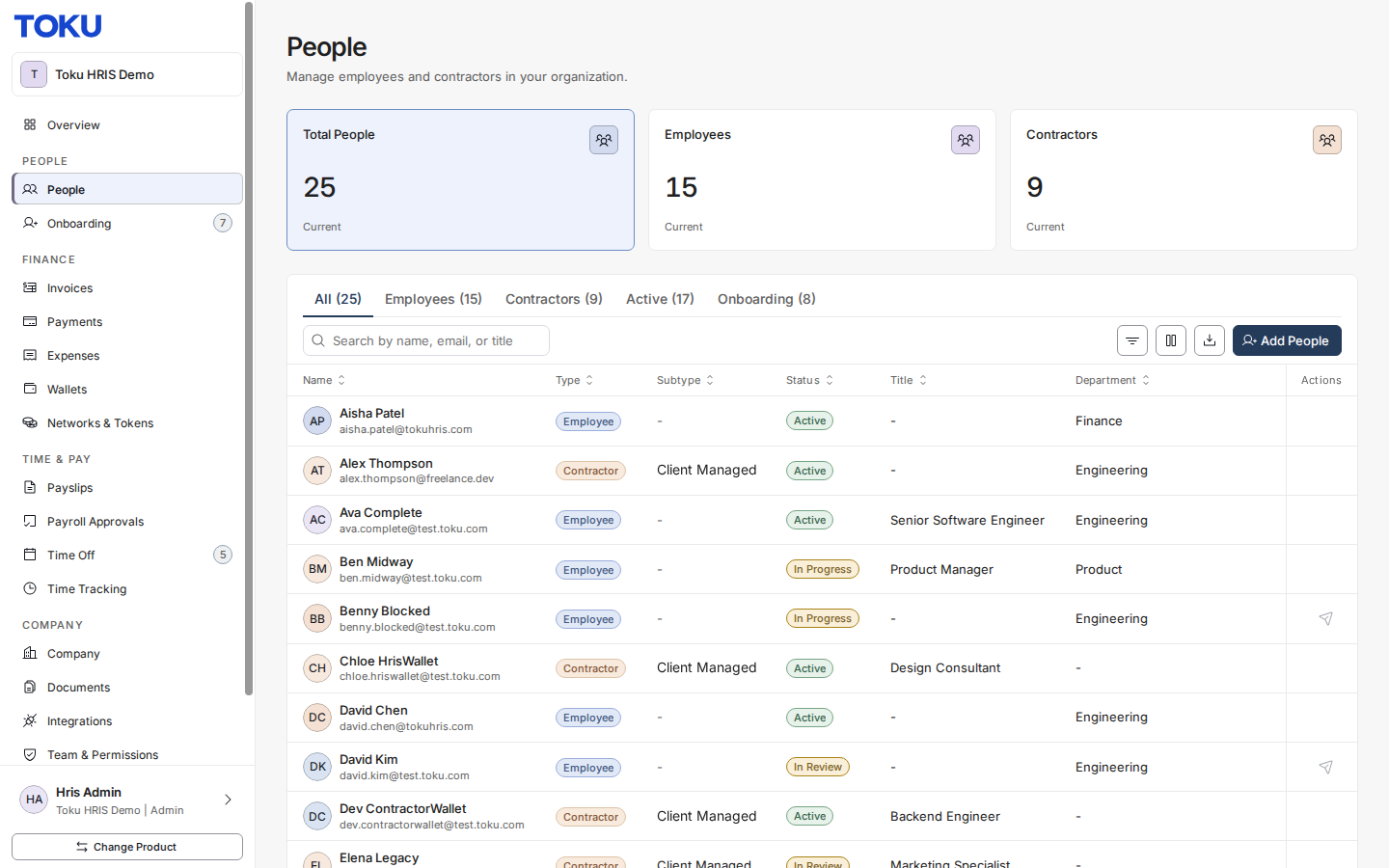
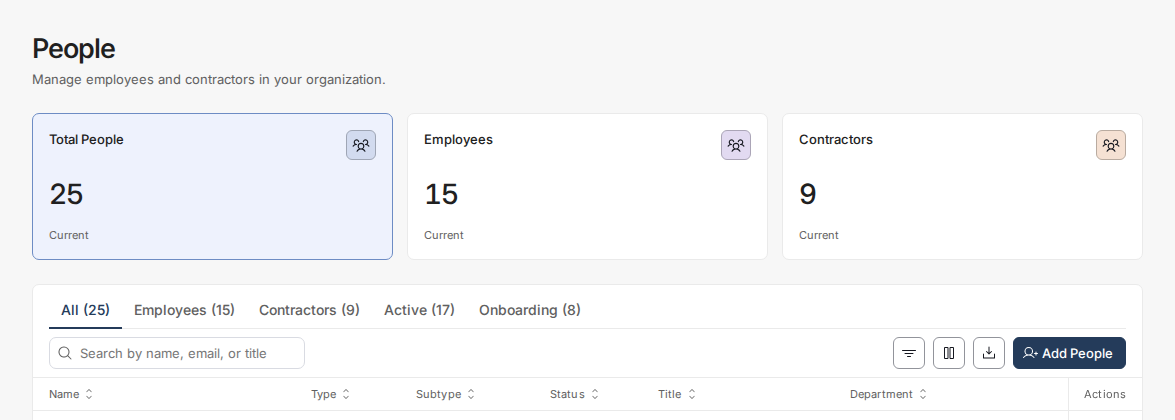
- Click the Add People button at the top right of the people list.
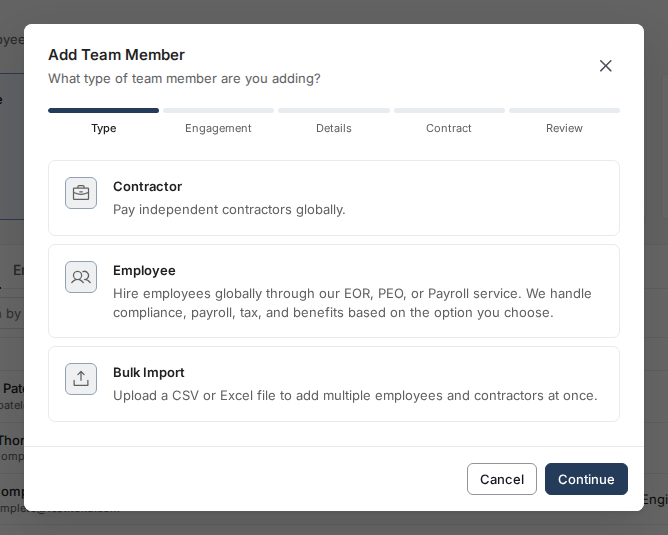
Choose single contributor
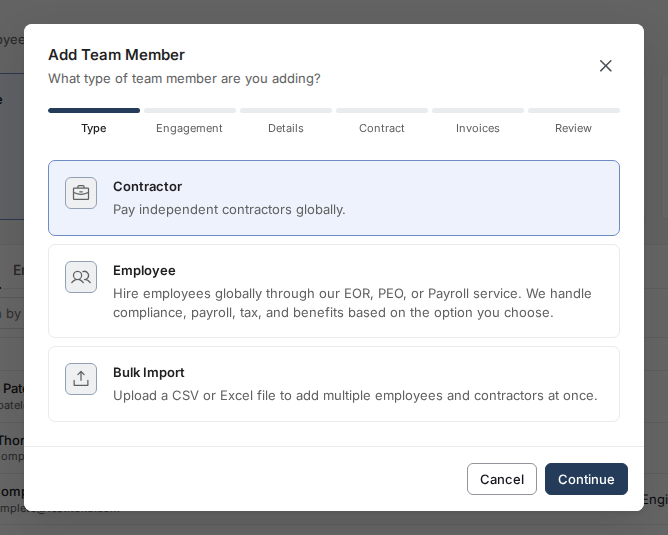
- In the dialog that appears, select Contractor to add one independent contractor (not Bulk Import).
Select employment type
Choose the appropriate employment classification:
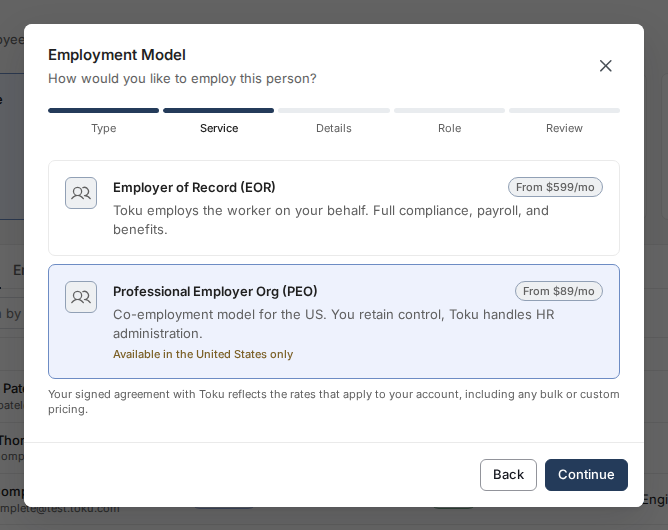
- EOR Employee — Toku employs the worker on your behalf with full compliance, payroll, and benefits. From $599/month.
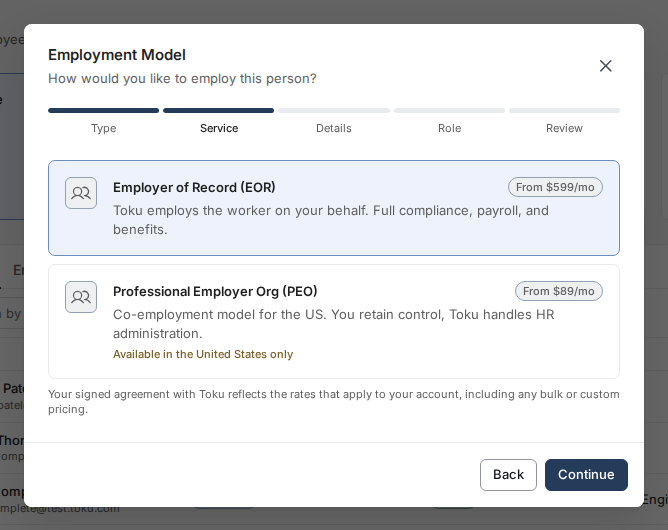
- PEO Employee — co-employment model available in the United States only. You retain control; Toku handles HR administration. From $89/month.
- Contractor — select this to pay an independent contractor. On the next step you'll choose an engagement model.
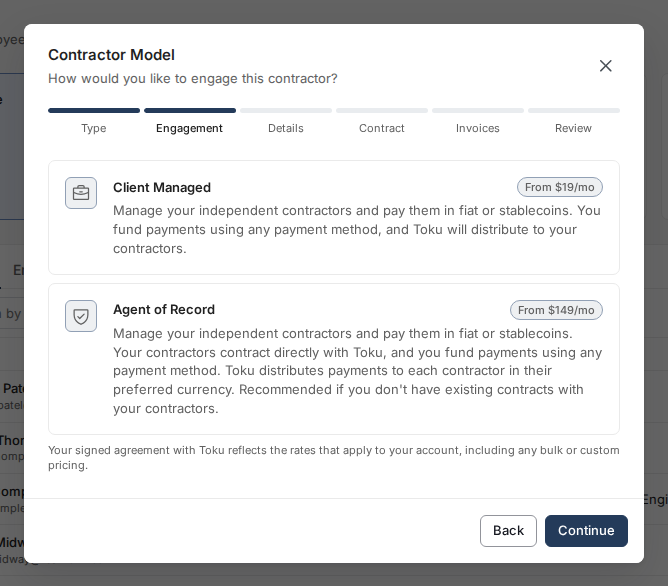
- Engagement model — after choosing Contractor, pick how to pay them: Client Managed (from $19/month) to fund payments and let Toku distribute them to your contractors, or Agent of Record (from $149/month), where contractors contract directly with Toku and Toku distributes payments in each contractor's preferred currency - recommended if you don't have existing contracts with your contractors.
Enter contributor details
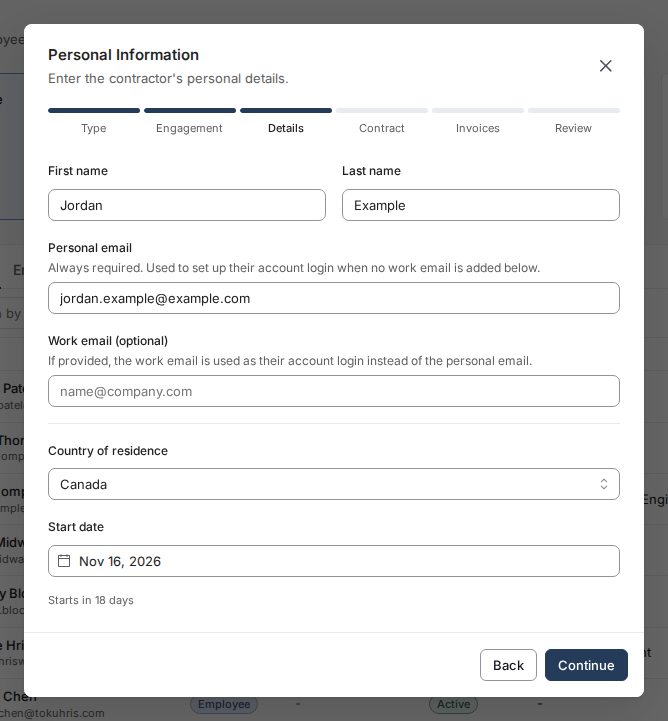
- Complete Details. For contractors, enter Personal email (work email is optional), then complete Contract Details with the role, agreed rate, currency, and contract terms; employees continue through their role details.
Choose invoice automation before review
When adding a contractor through People → Add People, complete Contract, then choose invoice preferences on Invoices before Review. This step appears for Client Managed and Agent of Record contractors; available options depend on the contract and your organization’s settings.
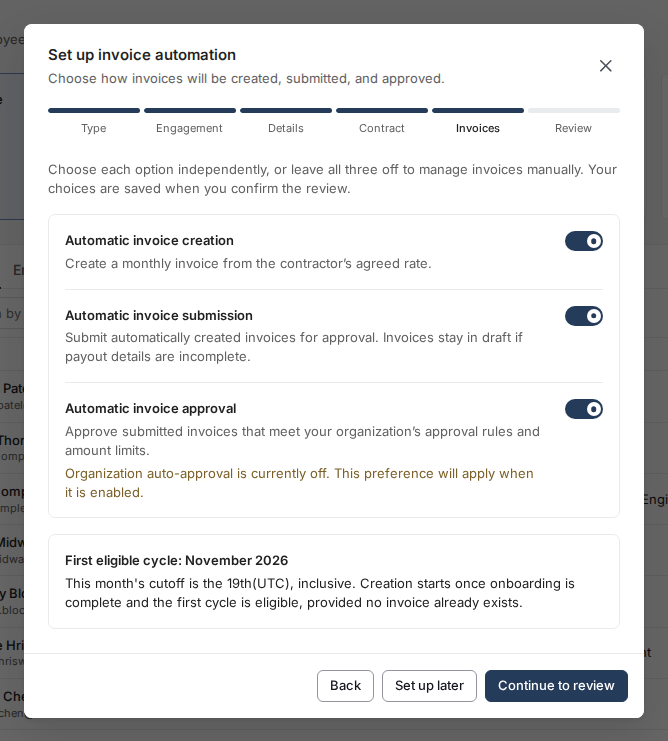
- In Set up invoice automation, choose Automatic invoice creation, Automatic invoice submission, and Automatic invoice approval independently.
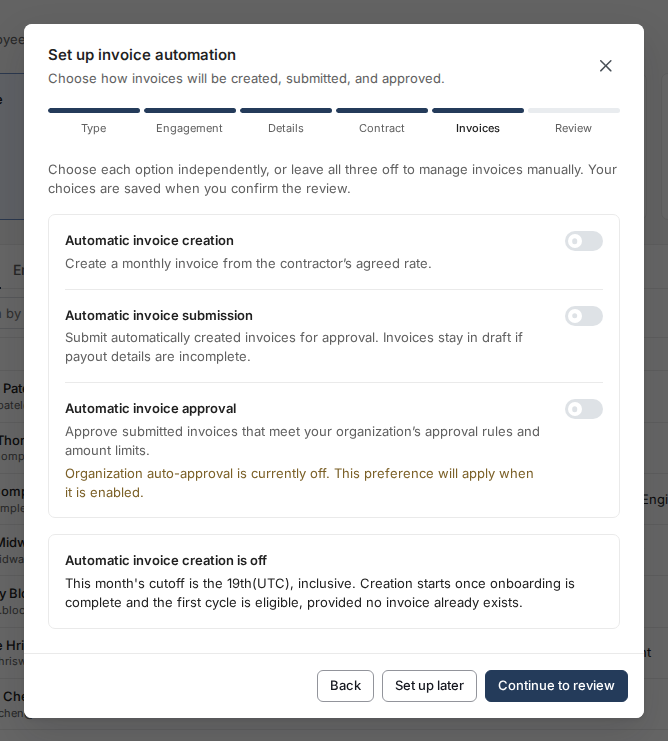
- Click Continue to review to keep your choices, or Set up later to defer configuration and preserve your organization’s defaults. Leaving all three choices off and continuing explicitly saves manual preferences.
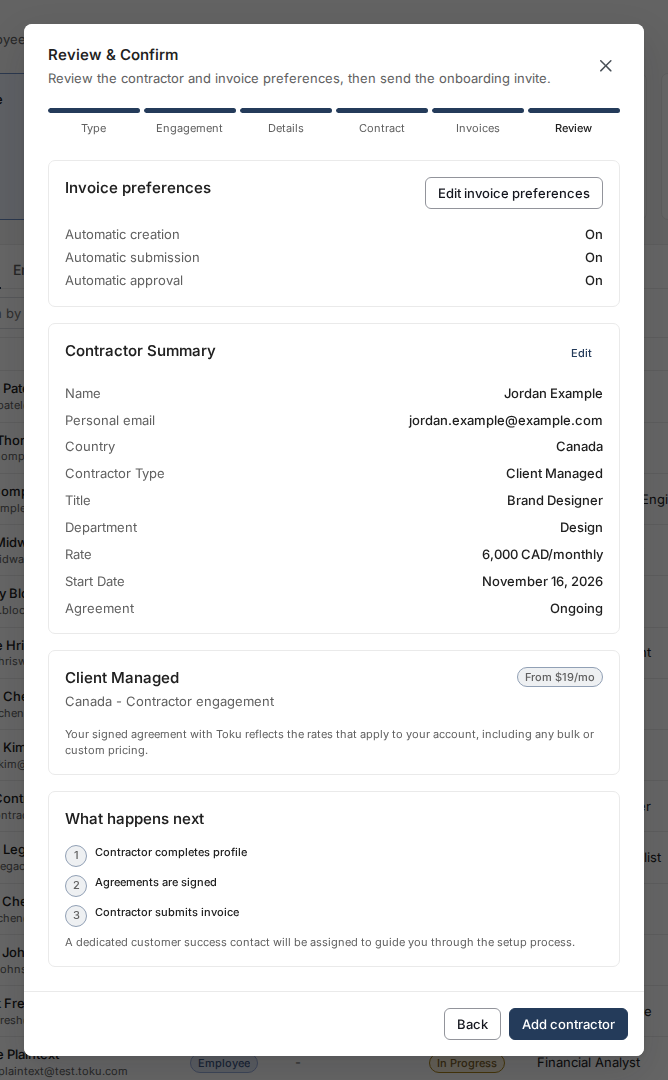
- On Review & Confirm, check Invoice preferences and click Add contractor to save. Use Edit invoice preferences or Back to revisit earlier steps without losing your entries.
Automatic creation waits until onboarding is complete and the first cycle is eligible; the monthly cutoff is the 19th (UTC), inclusive. Hourly invoices need hours entered manually, submission waits for complete payout details, and automatic approval still follows your organization’s rules and amount limits.
See the illustrated contractor onboarding walkthrough.
Confirm and send invitation
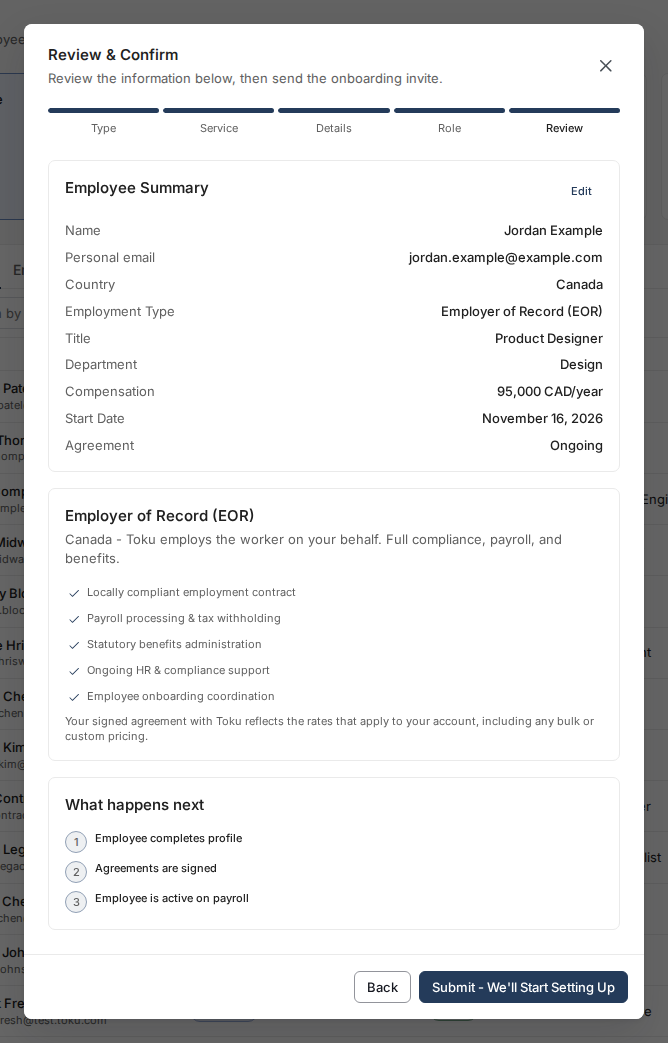
- For contractors, review Invoice preferences and Contractor Summary, then click Add contractor. For employees, review Employee Summary and click Submit; follow the invitation guidance shown for the employment type.
Track progress in Onboarding
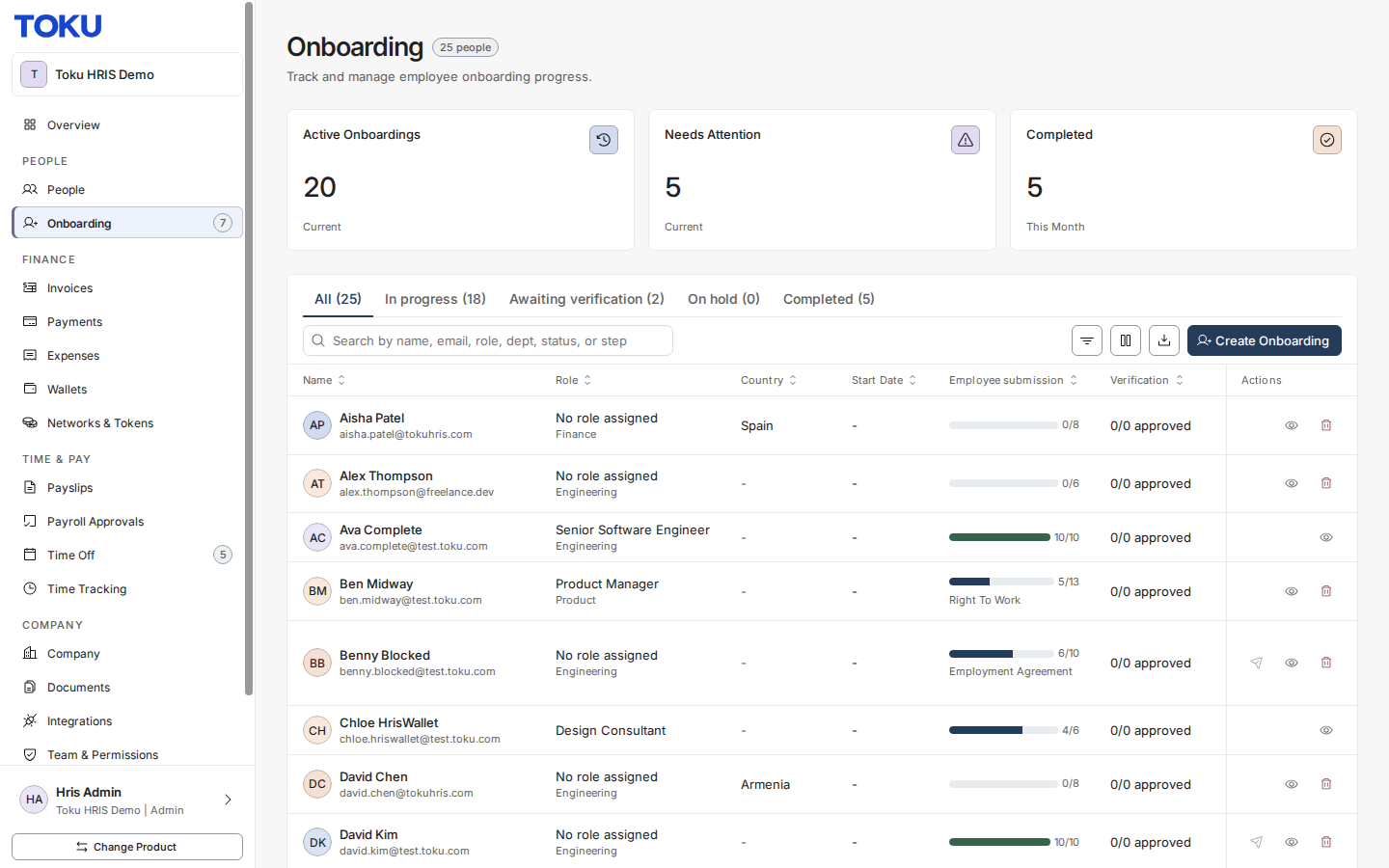
- Open Onboarding in the left-hand menu to see the contributor's progress, view remaining steps, and send reminders if needed.
Good to know
- Fixed-term contractors: if you enter a contract end date, Toku's Customer Success team is alerted 30 days before it arrives and will contact you to confirm whether you want to extend the contract or end it - a side letter for an extension, a termination notice to end it. You can also see who is approaching their end date yourself: the Needs your attention list on your Overview page flags contracts expiring in the next 90 days, and the People page marks anyone within two months.
- If onboarding isn't completed by the start date, the contributor's start date may be delayed.
- Toku automatically sends email reminders to contributors who haven't yet submitted their onboarding details.
Still stuck?
You can email [email protected] to reach our support team. Please include your email address, organization name, and a description of what happened. Screenshots and videos are always welcome to speed up the troubleshooting process. Feel free to reach out any time for further assistance.