
 2 MIN READ
 UPDATED OCT 30, 2026
💡 Step-by-step walkthrough for creating grant configurations in TGA Grant configurations (grant types) define the token and structure used when issuing grants - such as RTUs, token bonuses, or token purchase agreements. You need at least one configuration before creating grants.
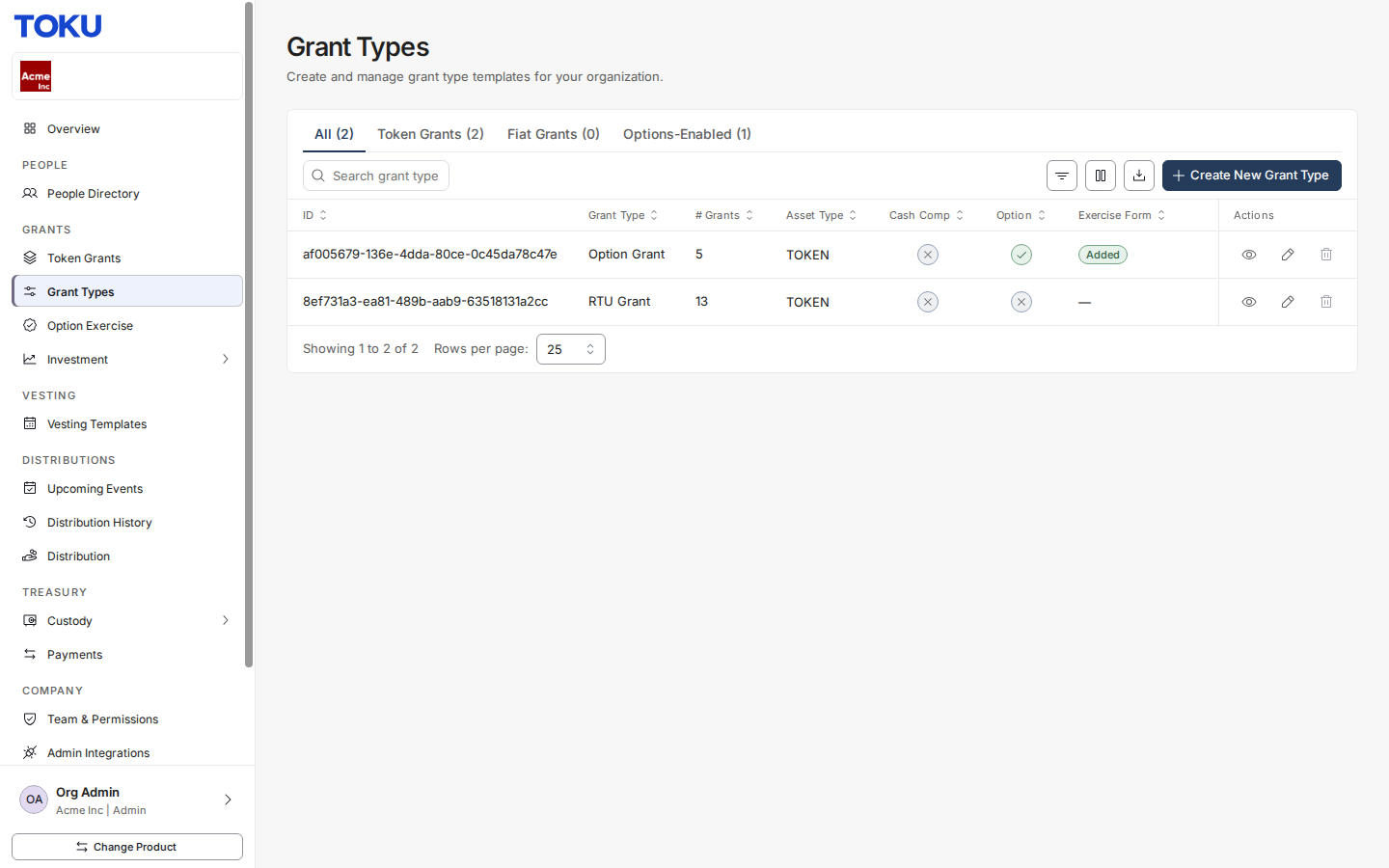
Step 1: Navigate to Grant Types
In the left sidebar, under Grants, click Grant Types.
Step 2: View existing configurations
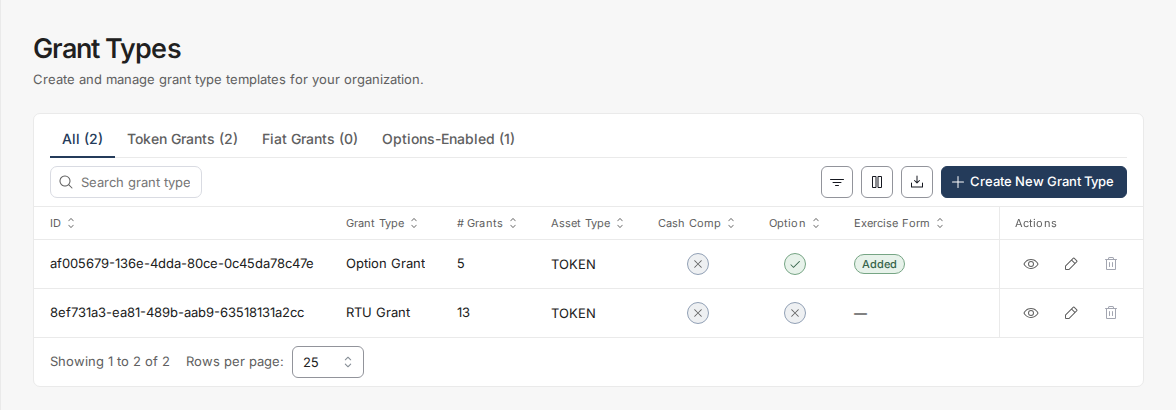
The Grant Types page lists all configurations for your organization - showing the grant type, number of grants created, asset type, and whether cash compensation or options are enabled.
Step 3: Click Create New Grant Type
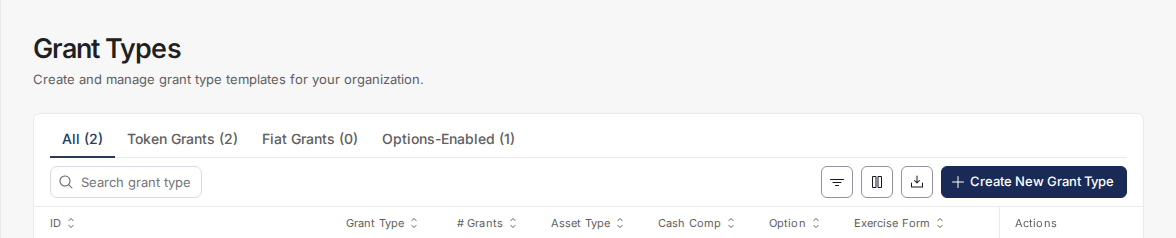
Click the
Create New Grant Type
button in the top-right to open the configuration form.
Step 4: Select a grant type and name it
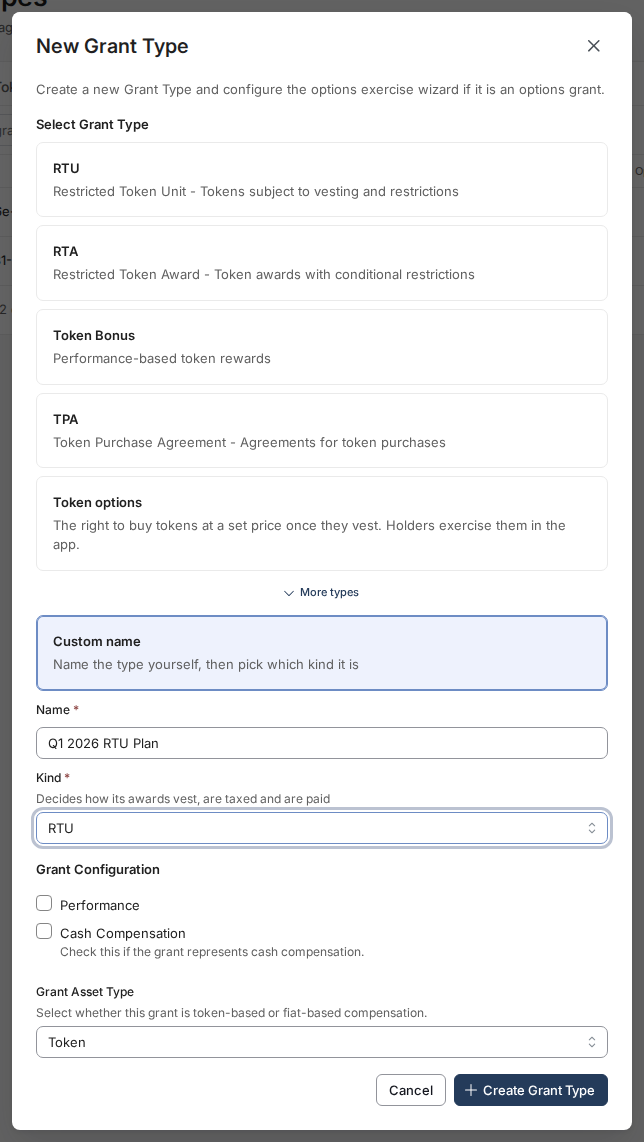
Choose the grant type that matches your plan:
- RTU — Restricted Token Unit: tokens subject to vesting and restrictions
- RTA — Restricted Token Award: token awards with conditional restrictions
- Token Bonus — Performance-based token rewards
- TPA — Token Purchase Agreement: agreements for token purchases
- Token options — The right to buy tokens at a set price once they vest
- More types (Warrant, LTIP, and others) or Custom name — Name the type yourself, then pick which kind it is A default name is generated from your selection. To use your own name, choose Custom name, enter a Name and pick its Kind (e.g.
Q1 2026 RTU Plan
)
Step 5: Save the configuration
Click Create Grant Type. The new configuration is immediately available when creating grants.
Grant Types Explained
| Type | Description |
|---|---|
| RTU | Restricted Token Unit - standard token equity grant with vesting |
| RTA | Restricted Token Award - token award with conditional restrictions |
| Token Bonus | Performance-based token rewards |
| TPA | Token Purchase Agreement - recipient purchases tokens at a set price |
| Other | Custom grant type name defined by your organization |