
 3 MIN READ
 UPDATED OCT 31, 2026
📘 For employees on Toku. Last updated October 31, 2026.
The Activity tab on your Profile is the history of your account. It lists every request you've made and every change to your details, newest first, so you can see what's still waiting for review and what's done, without having to ask.
What you'll find on the Activity tab
- Change requests: changes you ask for to your personal information, emergency contact, tax information, employment details and more, from the moment you submit them to when they're approved or rejected.
- Updates to your details: changes to your personal information, address and bank details.
- Payment method changes: wallets you add, archive or reactivate, and changes to how your pay is split.
- Privacy requests: requests to delete your data.
Open your Activity tab
- Sign in to Toku at app.toku.com.
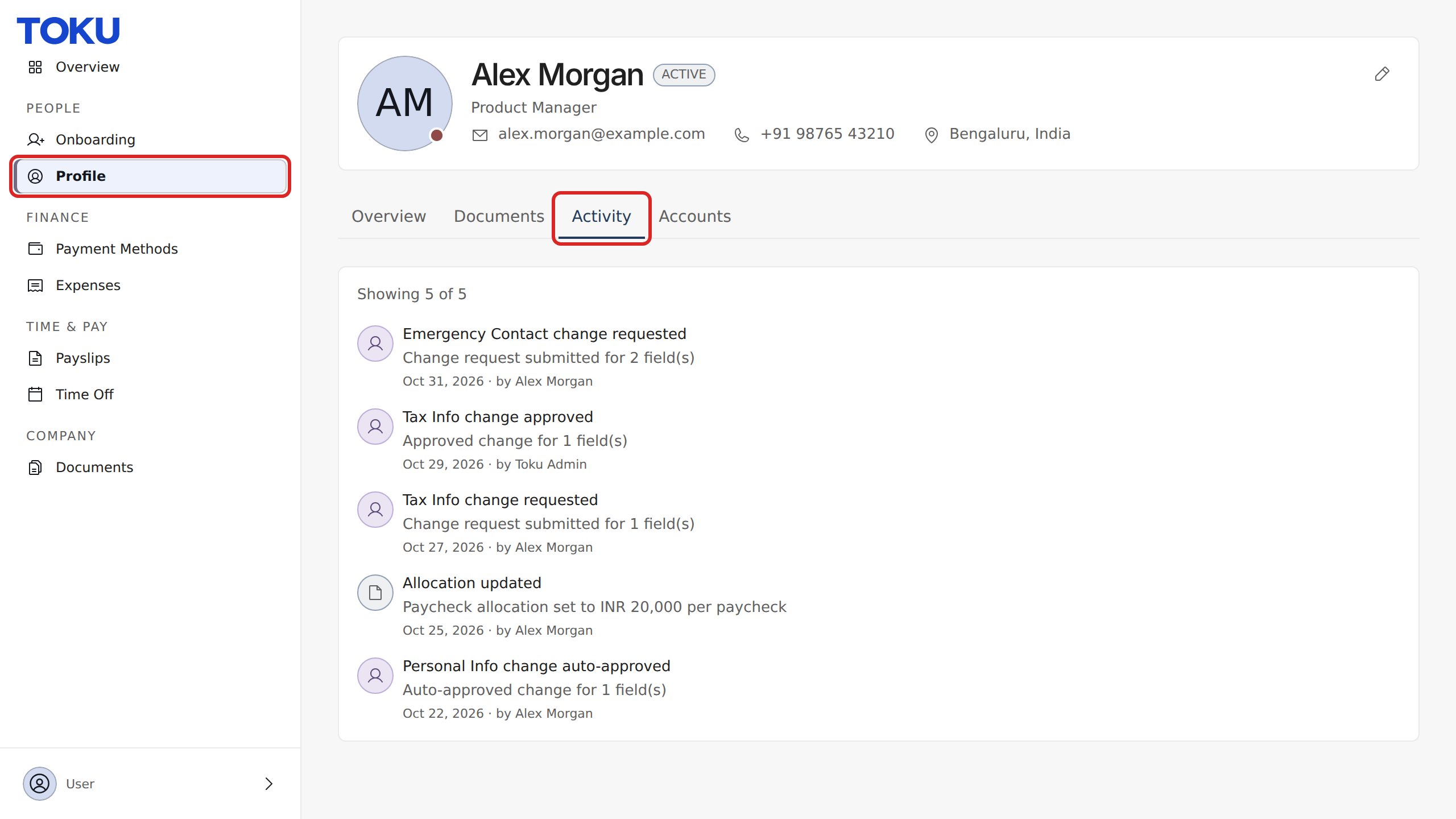
- In the left-hand menu, under PEOPLE, select Profile.
- Select the Activity tab at the top of your Profile, next to Overview and Documents.
Read an entry
Each entry has three parts:
- What happened, in bold. For example, Tax Info change approved.
- The details, underneath. For example, how many fields a request changed, or the new amount.
- When and who: the date, and who made the change. That's you, or the member of the Toku team who reviewed your request.
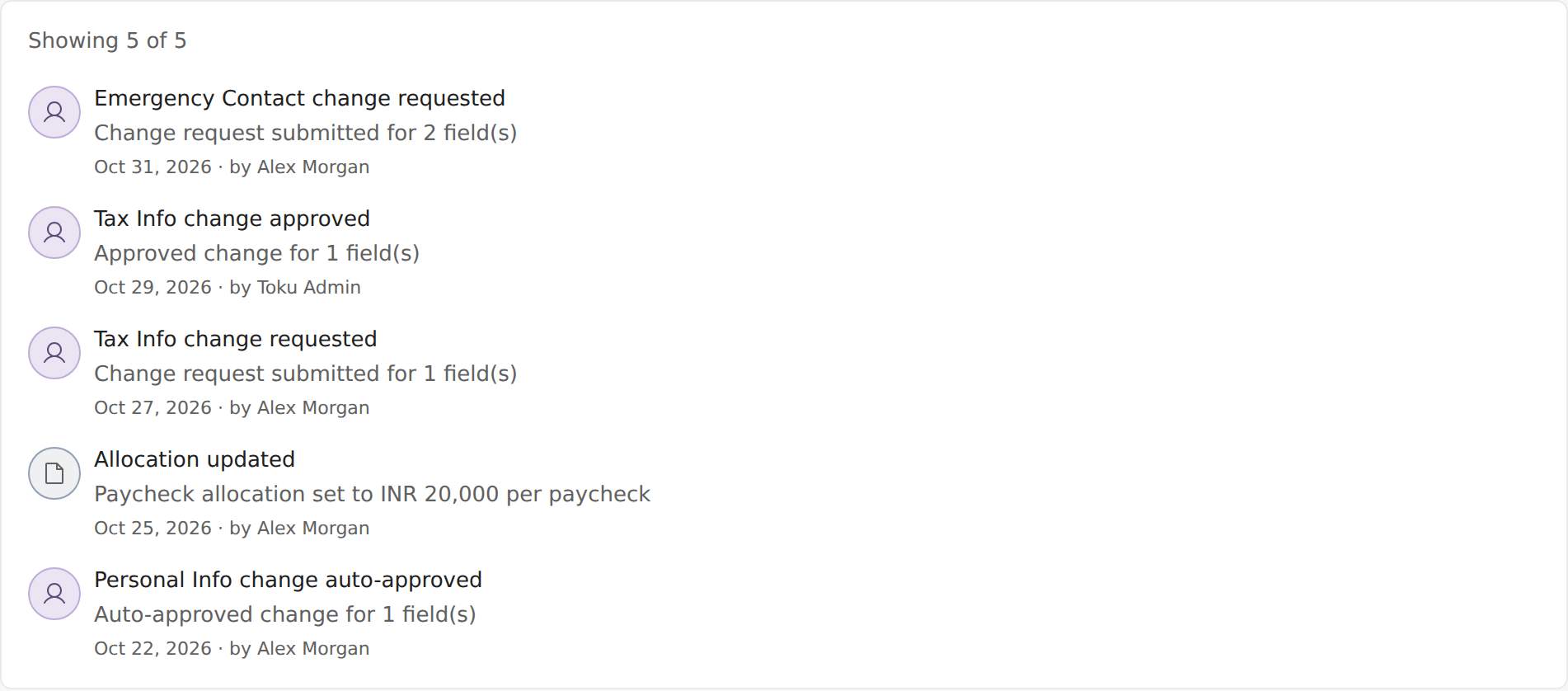
The top of the list shows how many entries you're seeing, for example Showing 5 of 5. If you have more, select See more at the bottom to load older entries.
Follow a change request
When you ask for a change, its progress appears on the Activity tab as new entries:
- … change requested: you've submitted the request and it's waiting for review. Nothing has changed yet.
- … change approved: the request was reviewed and accepted.
- … change rejected: the request was reviewed and not accepted. Your details stay as they were.
- … change auto-approved: the change didn't need a review and was saved straight away.
💡 Tip: Look for the newest entry about a request. If the latest one still says requested, the request is waiting for review.
Frequently asked questions
My request still says “requested”. What does that mean?
It's waiting for review. You'll see a new entry as soon as it's approved or rejected. If it's been waiting longer than you expected, contact support and mention the date you submitted it.
My request was rejected. What should I do?
Check the details you entered, then submit the change again from your Profile. If you're not sure why it was rejected, contact support.
Can I cancel or edit a request from the Activity tab?
No. The Activity tab is a read-only history. To change or withdraw a request that's still waiting for review, contact support.
I don't see an entry I expected
Refresh the page, then select See more to load older entries. The Activity tab shows changes to your own account. Documents and payslips have their own pages.
Related articles
Still stuck?
Email [email protected] and our support team will help. Include your email address, your organization name and a short description of what happened. Screenshots and videos help us solve it faster.