
 4 MIN READ
 UPDATED OCT 30, 2026
As of July 2026, Croatian employment law requires Toku to keep a formal working-time record (evidencija o radnom vremenu) for every Croatia-based employee. If you're employed by Toku in Croatia, you'll submit a monthly timesheet so we can keep this record and process your hours accurately through payroll.
💡 Timesheet Template
Access the Croatia Working Time Record here: View Timesheet Template →
This is a view-only file. You must make your own copy before filling it out.
Step 1: Make Your Own Copy
- Open the timesheet link above.
- Go to File → Make a copy in Google Sheets.
- Rename your copy in this format: [Your Full Name] - Croatia Timesheet 2026
- Example: Ana Kovač - Croatia Timesheet 2026
- Save it to your own Google Drive. Your copy is private to you by default.
⚠️ Do not edit the master template directly. Any changes you make to the original file will be visible to everyone.
Step 2: Fill Out Your Timesheet
- Select the correct month tab at the bottom of the sheet (e.g. Siječanj/January, Veljača/February).
- Enter your name in the Ime i prezime radnika / Employee name field at the top.
- Update your daily status for each working day using the dropdown in the Šifra / Code column:
| Code | When to use it |
|---|---|
| R (Radio) | You worked; enter your start and end time |
| GO (Godišnji odmor) | Annual leave |
| BO (Bolovanje) | Sick leave |
| PD (Plaćeni dopust) | Paid leave |
| NPD (Neplaćeni dopust) | Unpaid leave (personal care) |
| BLAG (Blagdan) | Public holiday, already pre-filled for you |
| ROD (Rodiljni/roditeljski dopust) | Maternity or parental leave |
| OČ (Očinski dopust) | Paternity leave |
| VOJ (Vojna obveza) | Military duty |
| OZ | Absence at your own request |
| NI | Unauthorized absence |
| ŠTR / LOCK | Strike / lockout |
- On a day you worked (R): enter your start and end time; your ordinary hours calculate automatically.
- If applicable, also fill in:
- Noćni sati / Night hours: hours worked between 22:00-06:00
- Prekovrem. / Overtime hours: hours worked beyond your normal daily/weekly hours
- Teren / Field work: hours spent working away from your usual workplace
- Pripravnost / On-call: hours you were on standby, not actively working Leave these at 0 if they don't apply that day.
- Review the Ukupno / Total column: it calculates automatically from the hours you've entered.
Step 3: Sign and Submit
- At the bottom of the month tab, complete the Odobrenje / Approval section: your full name, signature, and date.
- Click the month tab you're submitting.
- Go to File → Download → Comma-separated values (.csv).
- This exports only the active tab, so make sure you're on the right month before downloading.
- Log in to your Toku HRIS profile.
- Navigate to Documents in the left-hand menu.
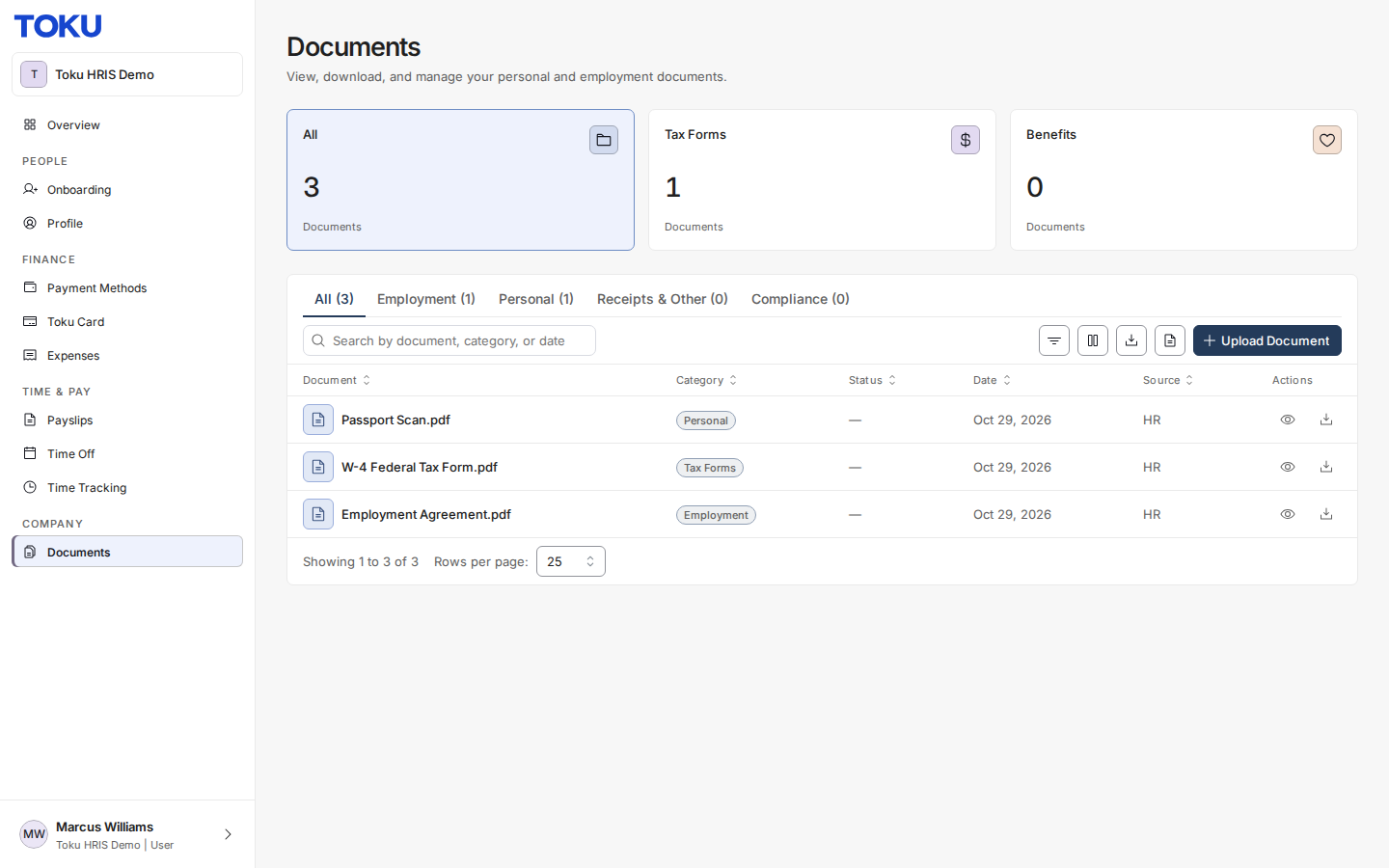
- Click Upload Document and upload the CSV file.
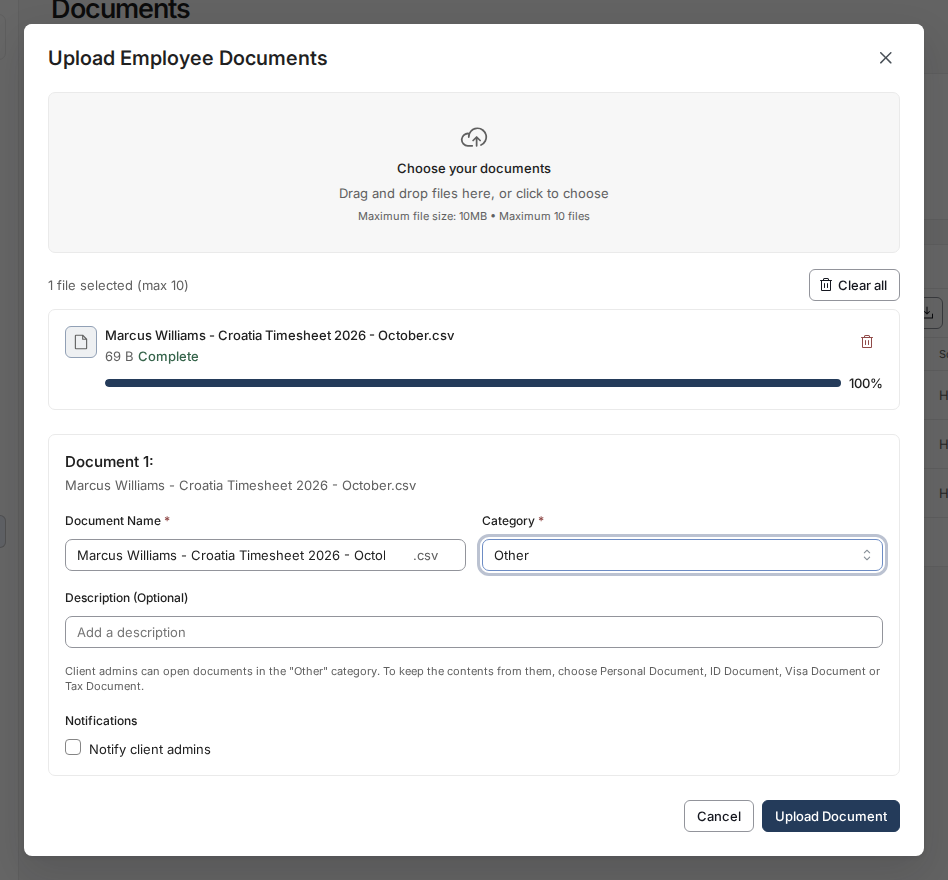
Toku will be automatically notified and will process your hours for the upcoming payroll run.
⏰ Submission Deadline
Croatia's payroll runs monthly, paid on the last working day of the month. As a general rule, submit your timesheet by the 10th of each month so it can be included in that cycle.
If your timesheet is submitted late, or you have corrections to hours already submitted, Toku will process your standard contracted hours for the current cycle and correct any difference on the following month's payroll.
Why is this required?
Croatian law (Pravilnik o sadržaju i načinu vođenja evidencije o radnicima, NN 55/2024) requires employers to keep a detailed working-time record for every employee, retained for at least 6 years. This is a legal record-keeping requirement, not a Toku-specific policy: it applies to every employer in Croatia.
Questions?
Contact your Toku Customer Success Manager or reach out to [email protected].