
 2 MIN READ
 UPDATED OCT 30, 2026
⚠️ Contractor invoice and payment deadlines: late action means late payment
- Contractors: submit invoices by the 19th of each month. A saved draft is not a submitted invoice.
- Admins: approve invoices by the 21st of each month. Submission alone does not authorize payment.
- Funding: Toku must receive cleared funds 4 - 5 business days before payout. Initiating a transfer or sending proof of payment does not meet the deadline.
- Standard monthly payout: the last day of the month, provided submission, approval, and funding deadlines are met. Late submission, approval, or funding will delay payment. Every day of delay pushes payment back by at least one day. A missed payment cycle can cause a longer delay; the invoice due date is not a guarantee of payment.
Automation does not remove these deadlines. Earlier published holiday deadlines take precedence; see Toku: 2026 End-of-Year Payroll & Payment Guide.
Contractor Tax Documentation Guide
Overview
This guide explains how Toku contractors can access documentation for tax reporting purposes.
US Contractors
How to View Your 1099
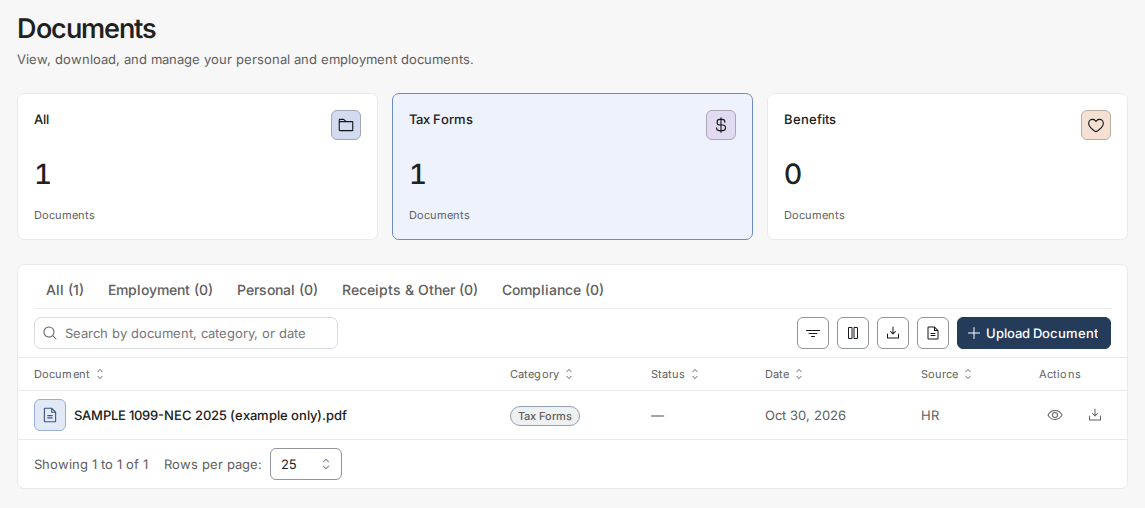
If you are a US-based contractor, Toku will provide you with a 1099 form for tax reporting. Your 1099 will be available in the HRIS during the first week of February. your 1099 can be accessed by navigating to https://app.toku.com/hris/documents.
- Navigate to https://app.toku.com/hris/dashboard
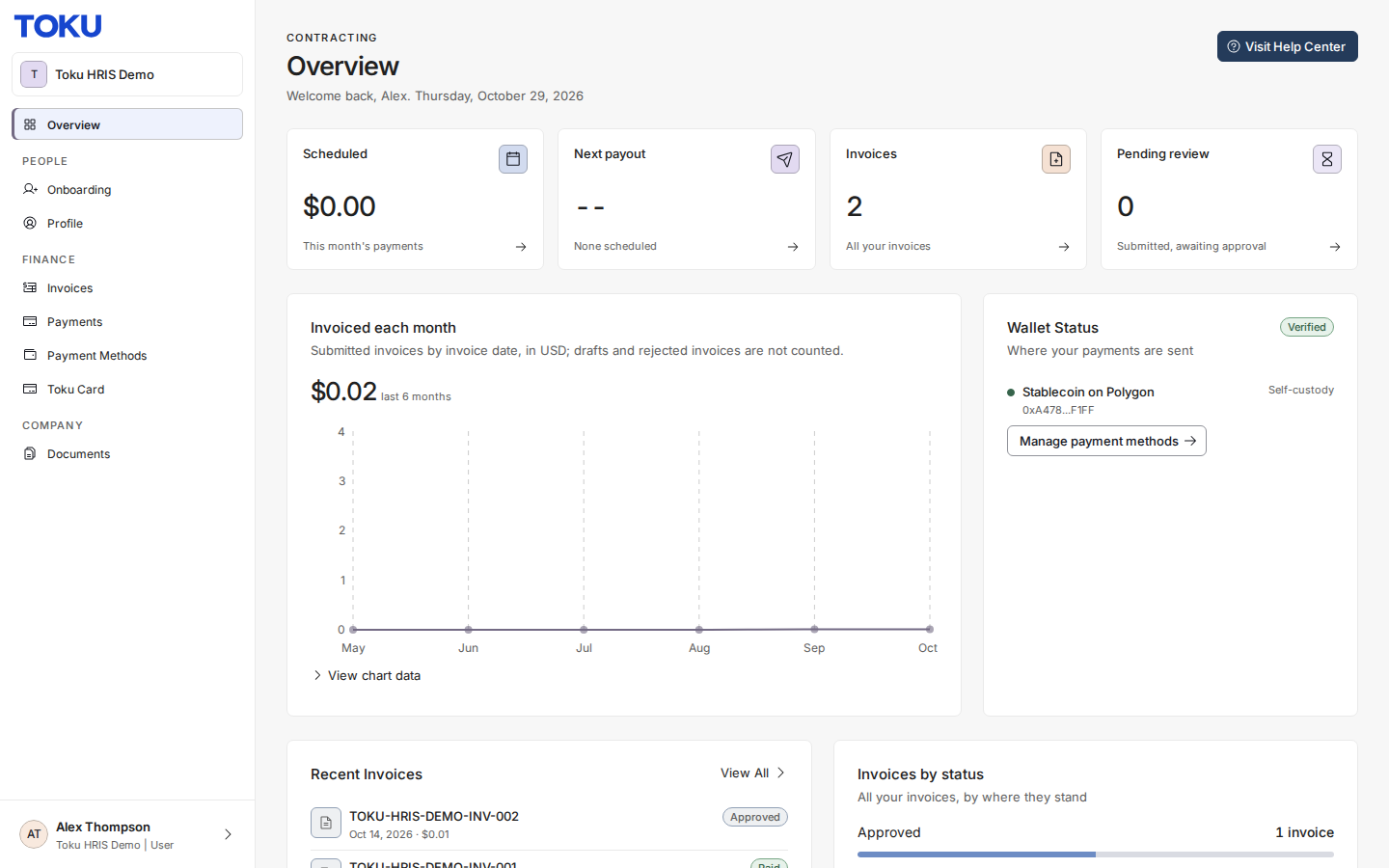
- Click Documents
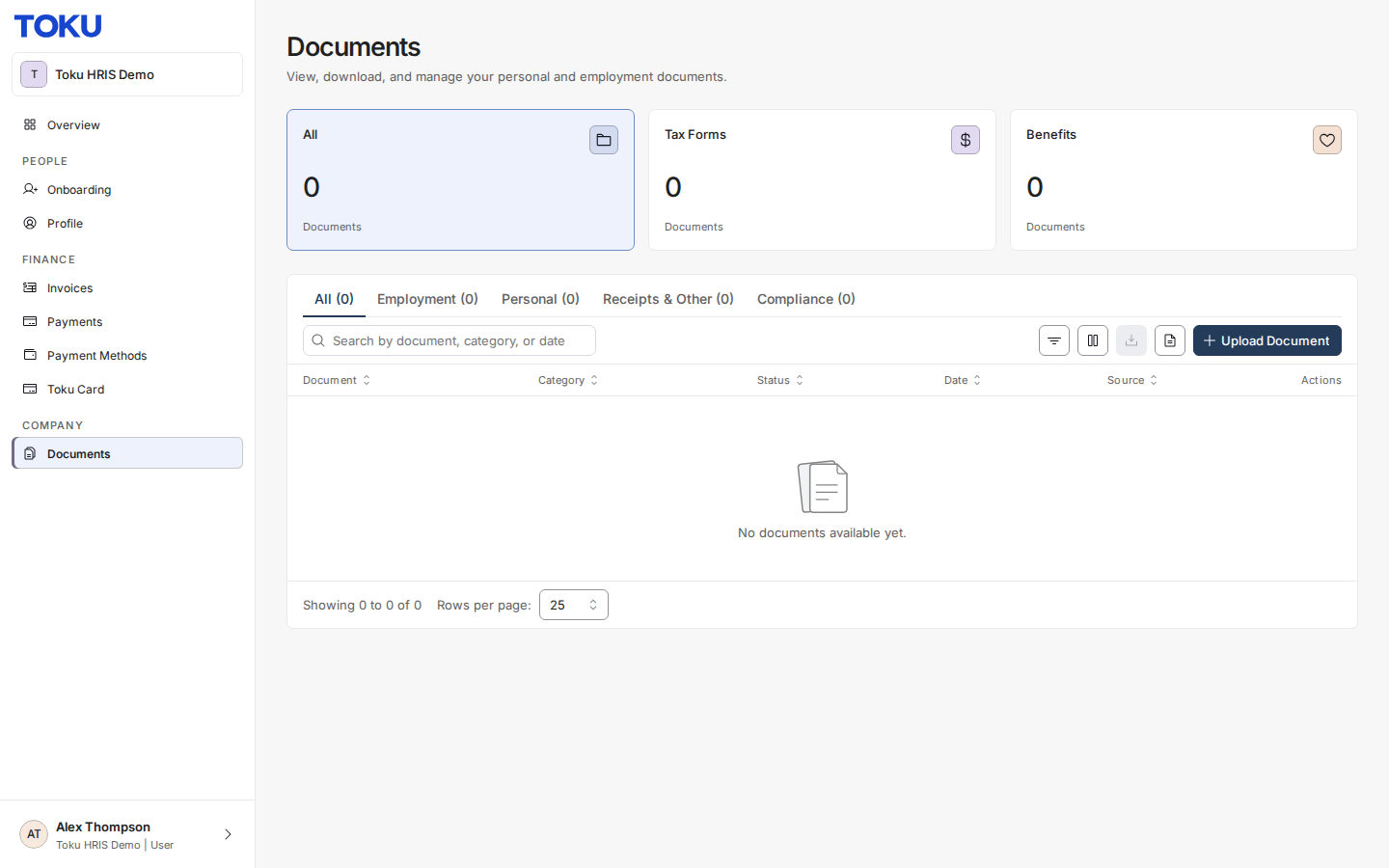
- view your 1099 Document
Foreign Contractors
Toku does not produce tax documentation (such as 1099s) for contractors outside the United States. You are responsible for reporting income according to your local tax laws.
To access your token grant payment history for your records, follow the guide linked below.
How to access your Invoice history:
- Navigate to https://app.toku.com/hris/dashboard
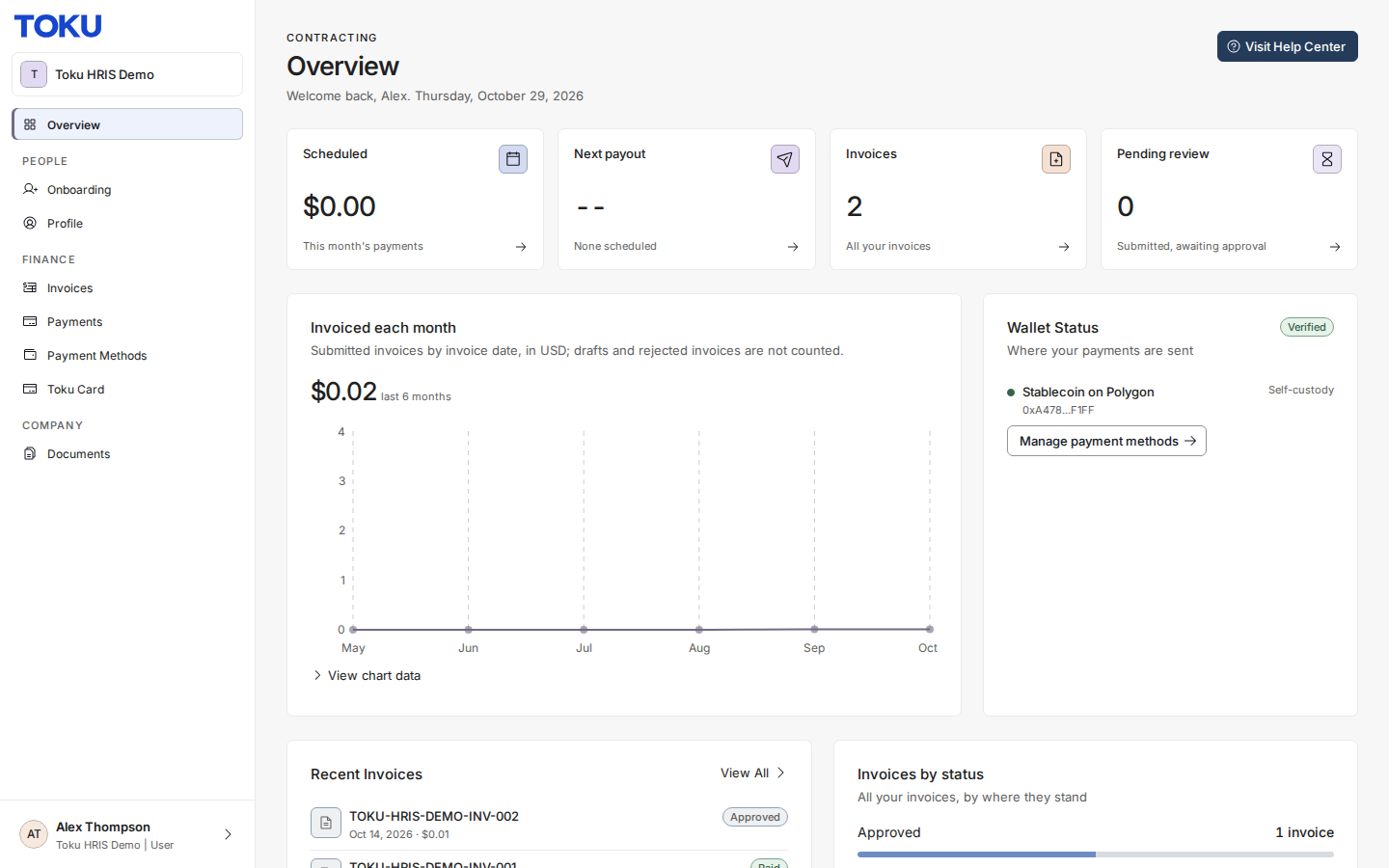
- Click “Invoices”
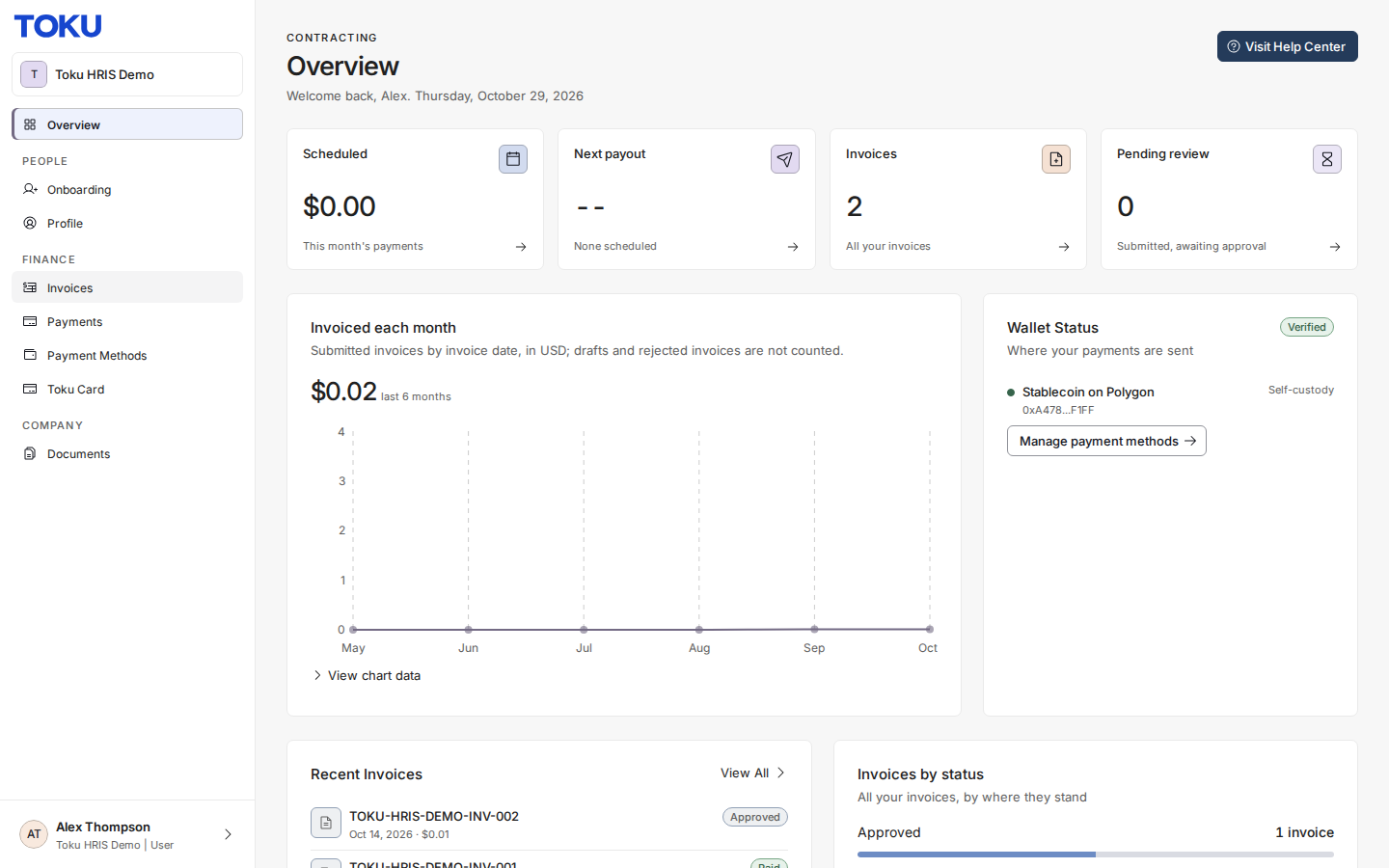
- View your invoices on the Invoices page
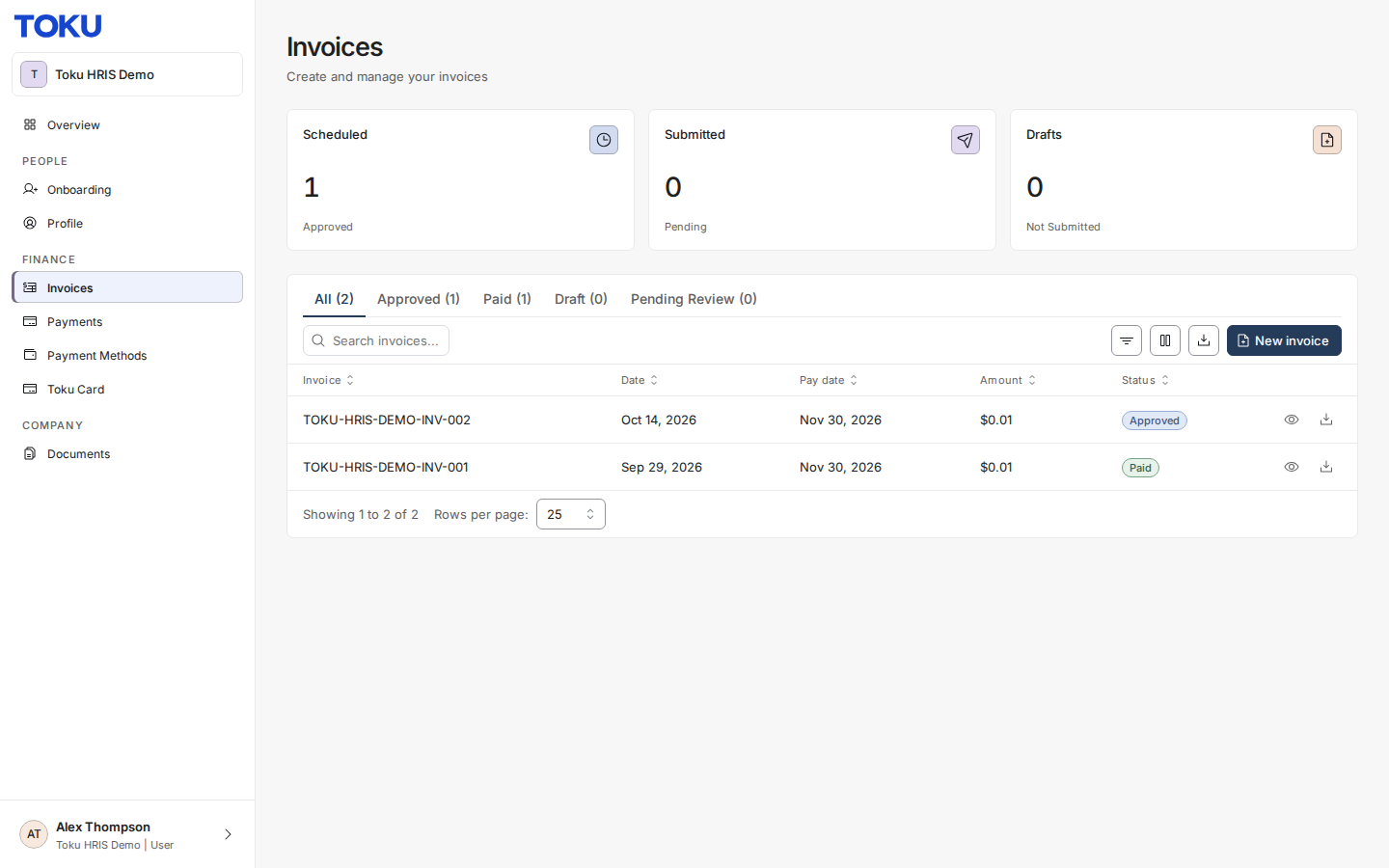
How to access your token grant payment history:
Toku: How to View Your Historic Distributions
Questions?
If you have any questions, contact [email protected].