1 MIN READ
 UPDATED AUG 10, 2026
Sometimes Filecoin transactions processed through multi-sig wallets appear as internal transfers. These always update your balance correctly, but may not show up in Ledger or other wallet interfaces. To verify them directly, you can use a Filecoin block explorer like Filscan.
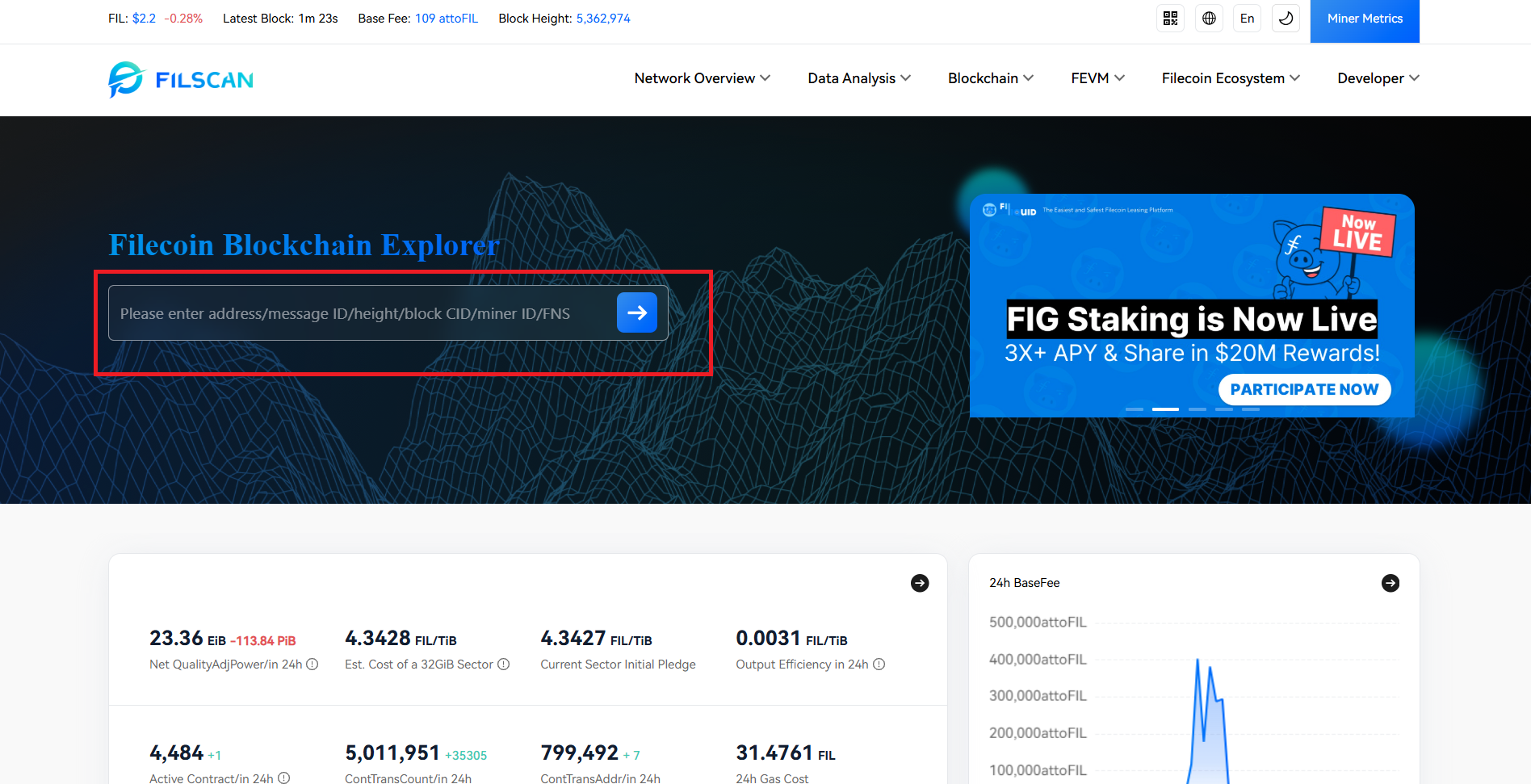
- Open https://filscan.io in your browser. This is a public Filecoin block explorer where you can look up wallet balances and transactions.
- In the search bar, paste your Filecoin wallet address (the one receiving tokens). This will open your account overview page, showing your balance history and transactions .
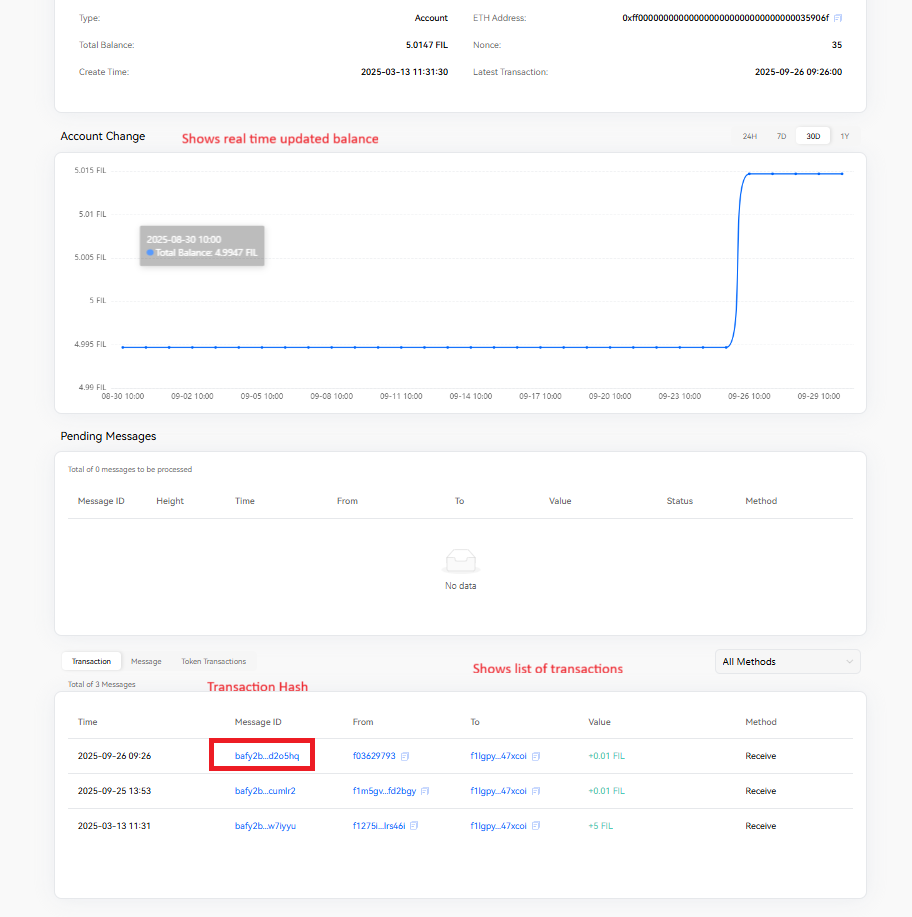
- Scroll down to the Transaction list and find the transaction hash you’d like to review. This list includes every transaction linked to your wallet (both normal and internal transfers) .
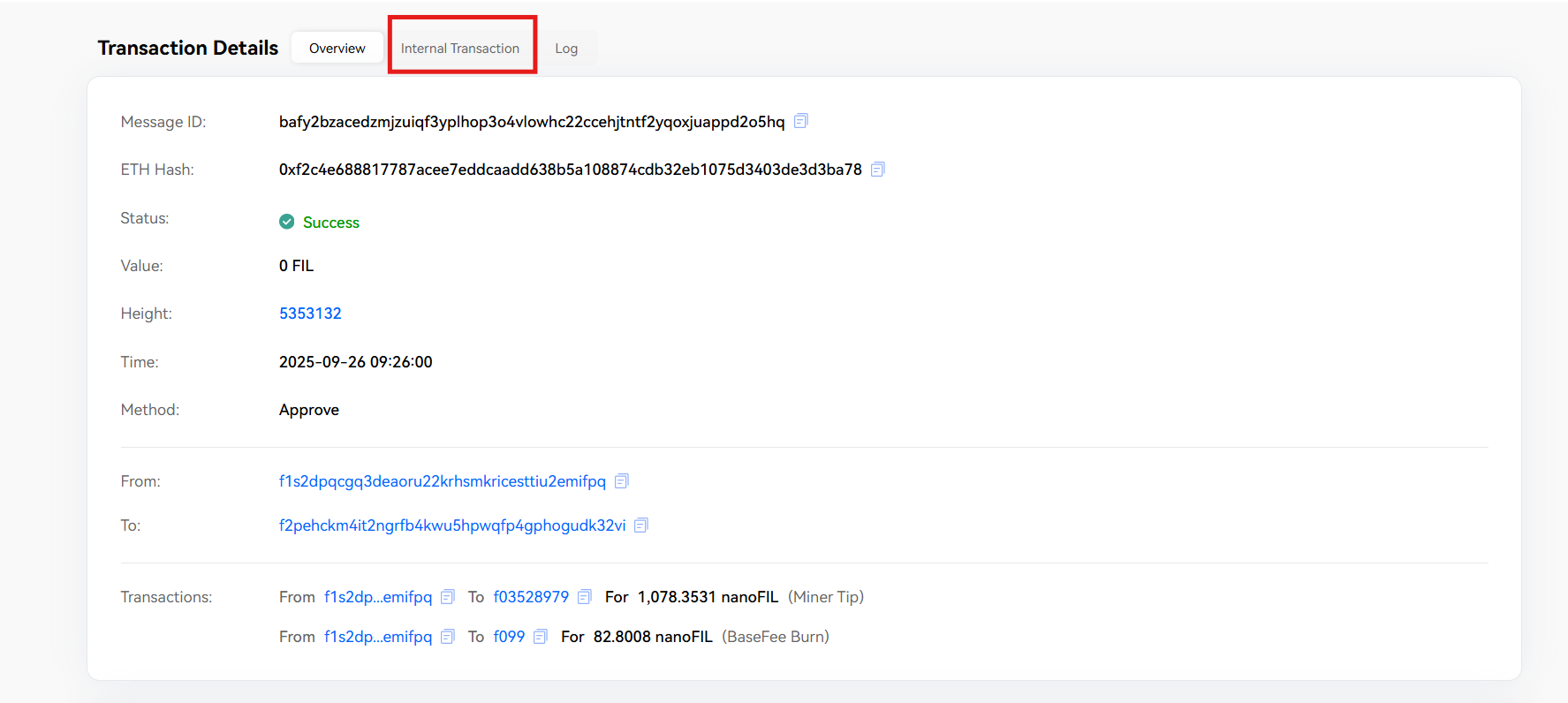
- When you click on a transaction, you’ll see detailed information. Make sure to click the “Internal Transaction” tab at the top of the details view.
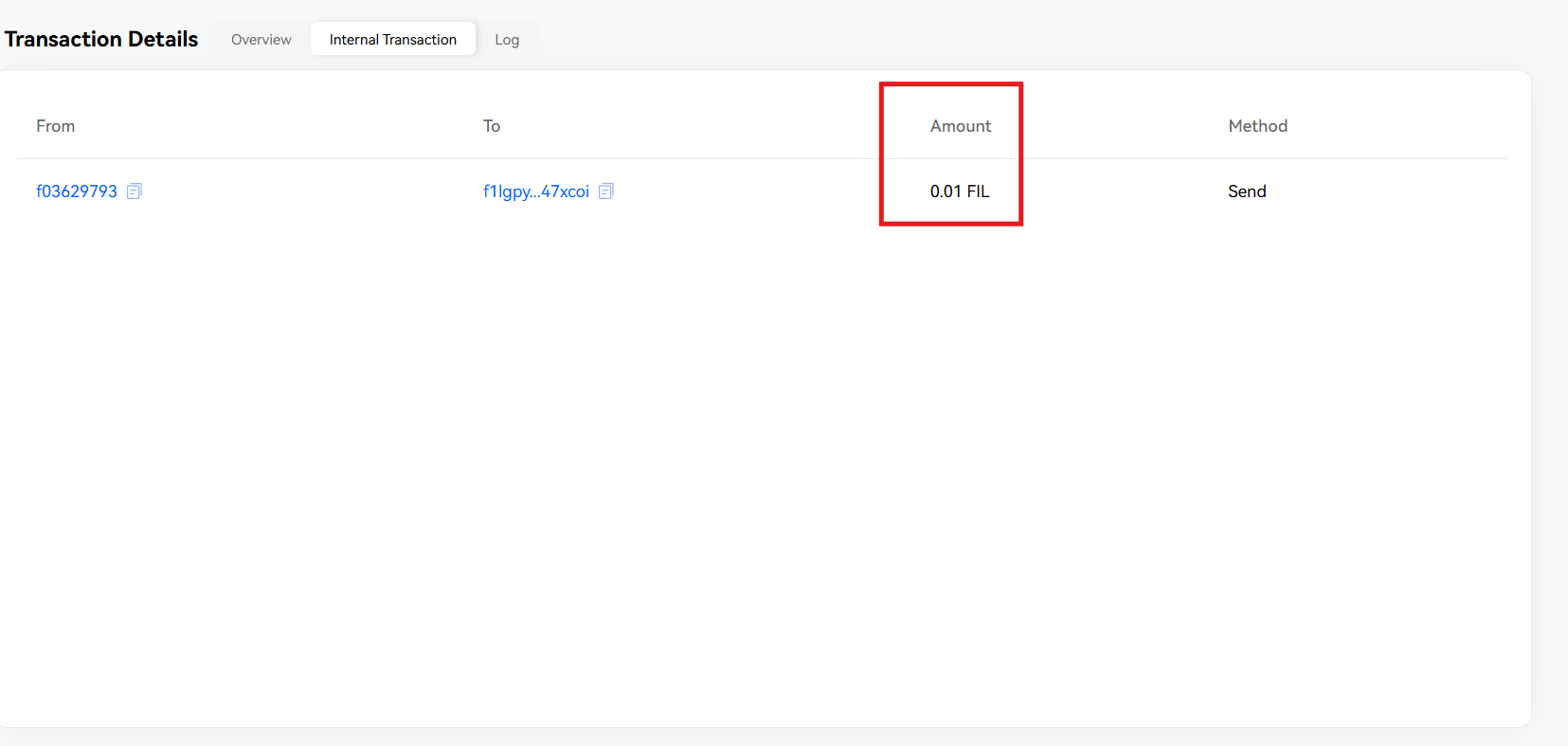
- Inside the internal transaction details, you’ll see:
- From and To wallet addresses
- Amount of FIL transferred
- Method (Send/Receive)
- Status of the transaction This confirms the FIL was received, even if the activity does not appear directly in your wallet app.