
 10 MIN READ
 UPDATED AUG 29, 2026
📘 For organization administrators on Toku. Last updated August 29, 2026.
End an employment relationship by submitting a termination request with the employee's final working day, reason, and paid-time-off details.
Before You Begin: Your Role in the Termination Process
Toku must be involved before any termination decision is communicated to the employee. Submit the termination request in the Toku platform first. After the request is recorded, Toku can begin the country-specific risk review and work with you on the proposed termination date, notice period, documentation, final costs, severance, garden leave, and payment timing.
Please submit the request at least 14 calendar days before the proposed termination date. This is a minimum planning period, not a guarantee that the proposed date can be honored. A longer lead time may be required by the employee's contract, local law, consultation requirements, or the applicable payroll cutoff.
🔒 Your termination submission in Toku is confidential: Submitting a request does not notify the employee or make the termination effective. The employee will not see the confidential request while Toku reviews it.
⚠️ Toku cannot review or action a termination until the request is submitted in the platform. Emails, Slack messages, verbal conversations, or direct discussions with an employee do not replace the platform request and do not begin a contractual or statutory notice period. Do not communicate an involuntary termination decision to the employee until Toku confirms the compliant process and timing.
Timing requirements
Your request must satisfy both the notice requirement and the applicable payroll deadline.
- Monthly payroll countries: Standard payroll changes are generally due by the 10th of the month. A request received after that cutoff may require a revised termination or payment date. All termination details must be final and confirmed no later than the 20th of the month to be considered for that month's payroll. Toku does not make exceptions to the 20th deadline for monthly payroll countries.
- Semi-monthly payroll countries: The United States, Canada, the Philippines, and Brazil follow two payroll cycles. The applicable cutoff depends on the intended pay date. Review the Toku Payroll Calendar - 2026 and confirm the deadline with your Toku representative.
- Late or changing information: A request submitted before a deadline is not complete if the termination date, garden leave, PTO, severance, or payment details are still under negotiation. Material changes received after the applicable cutoff may move payment to a later regular cycle or require an off-cycle payroll. Your financial obligations continue until the process is properly completed. Under your Professional Services Agreement with Toku, you are responsible for all termination-related costs, including notice pay, severance, accrued leave, benefits, taxes, and applicable fees, for the full period required by the employee's contract and applicable law. These obligations run from the date valid notice is served by Toku, not from an earlier informal communication.
Why you need to loop us in early
Toku needs to be part of the process from the beginning, not brought in after the fact. This is because every country has its own labor laws, and every employment contract has its own terms, there's no one-size-fits-all approach. The type of termination (voluntary resignation, performance-based, redundancy, etc.) directly affects the notice period, severance obligations, and required documentation.
If there are any performance issues, warnings, or disciplinary actions leading up to a termination, these should be reported and documented with Toku along the way. As the legal employer, we need a record of these to ensure you're protected.
⚠️ Do not communicate a termination decision directly to the employee before submitting your request to Toku. As the legal employer of record, Toku is the only party legally authorised to serve notice of termination on an employee. In many countries, including Germany, a termination notice must be in written form, signed by the employer, and delivered individually to the employee to be legally valid. A verbal announcement, group presentation, or informal communication does not satisfy this requirement and has no legal effect as notice. If you communicate a termination decision to an employee before Toku has been properly engaged, you may still be responsible for the full notice period and associated costs from the date valid written notice is eventually served.
- You need an administrator account for your organization. If you see a standard-user screen, ask your workspace manager to upgrade your access.
- Gather the person's agreed last working day, the reason for ending their employment, and their paid-time-off records for this year.
- A termination is a request, not an immediate action - nothing changes for the employee until Toku reviews and approves what you submit.
Sign in to Toku
- Open your browser and go to app.toku.com. Enter your work email and password.
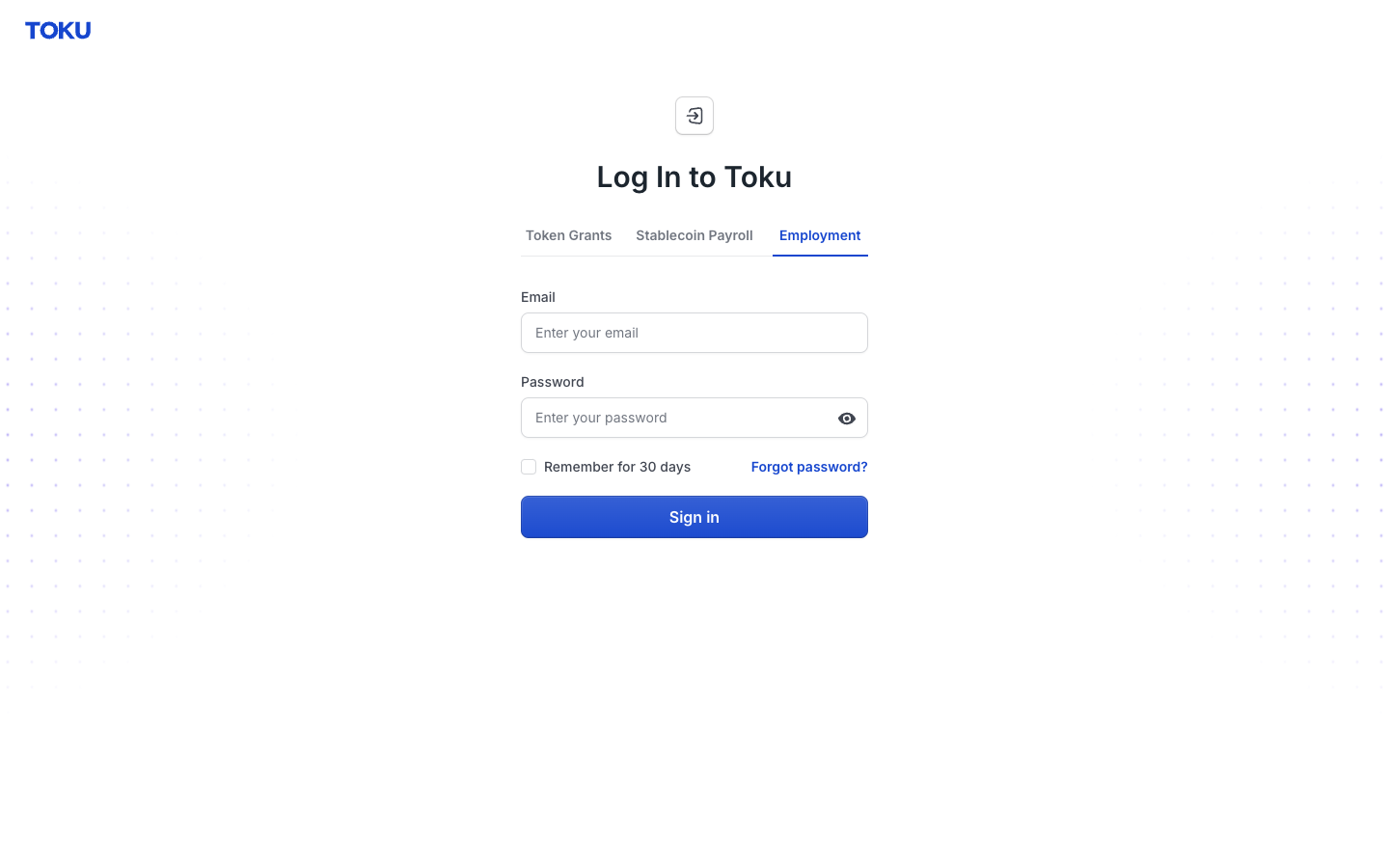
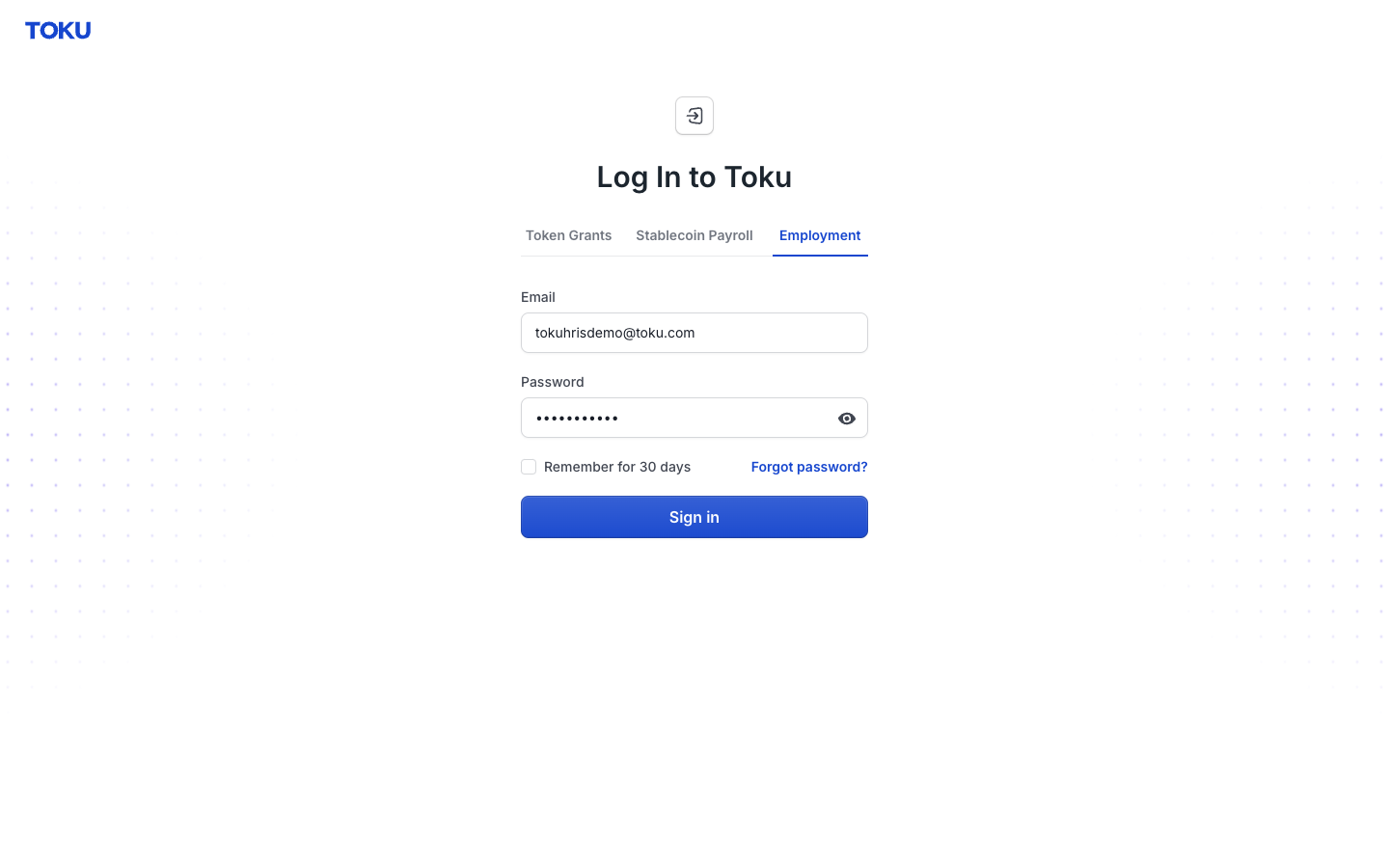
- Type your work email and password, then select the blue Sign in button.
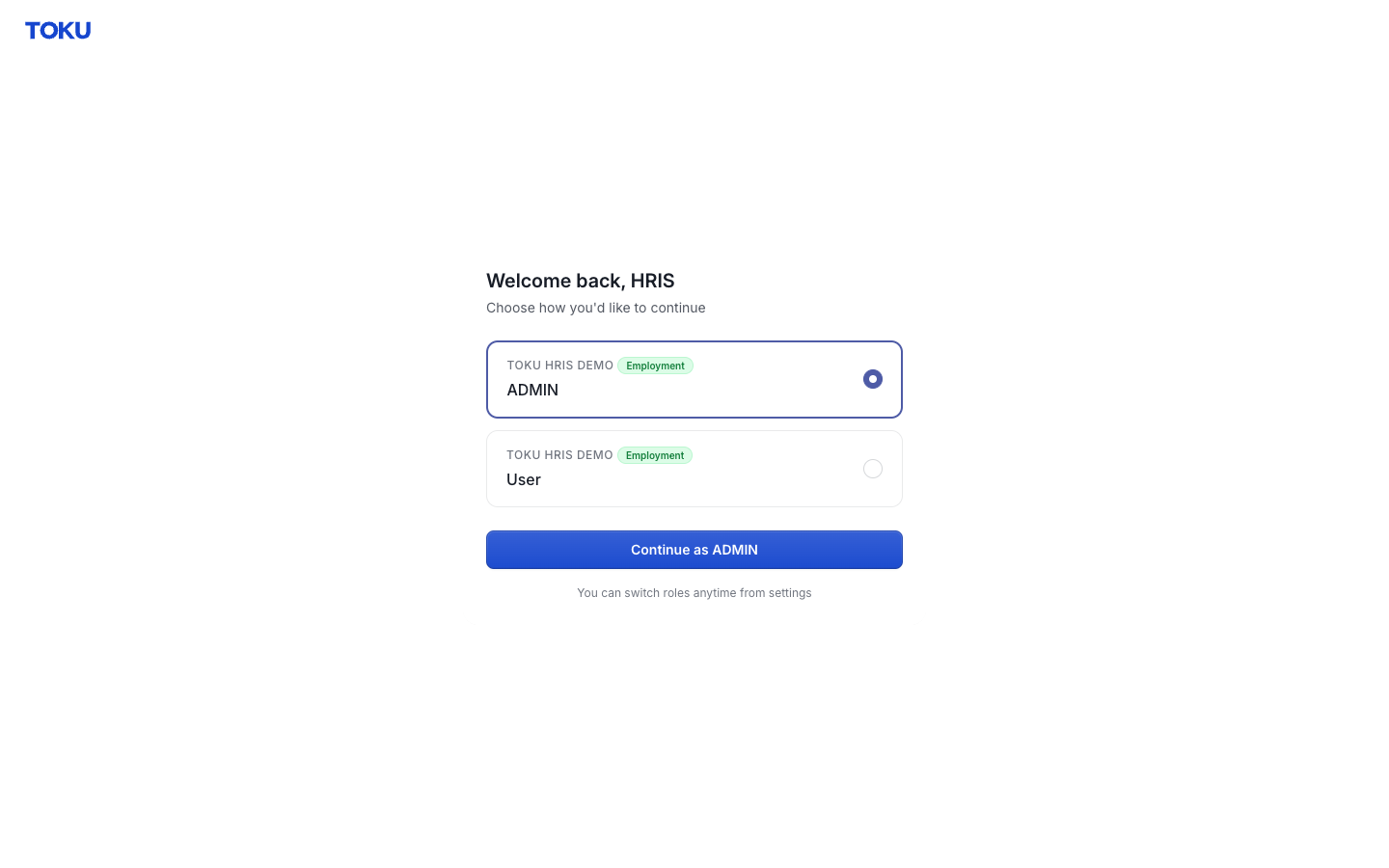
- If you see a "Welcome back" screen, select the ADMIN option for your organization, then select Continue as ADMIN. Otherwise, skip to the next section.
Start the termination request
- Select People in the left-hand menu. The list shows everyone in your organization.
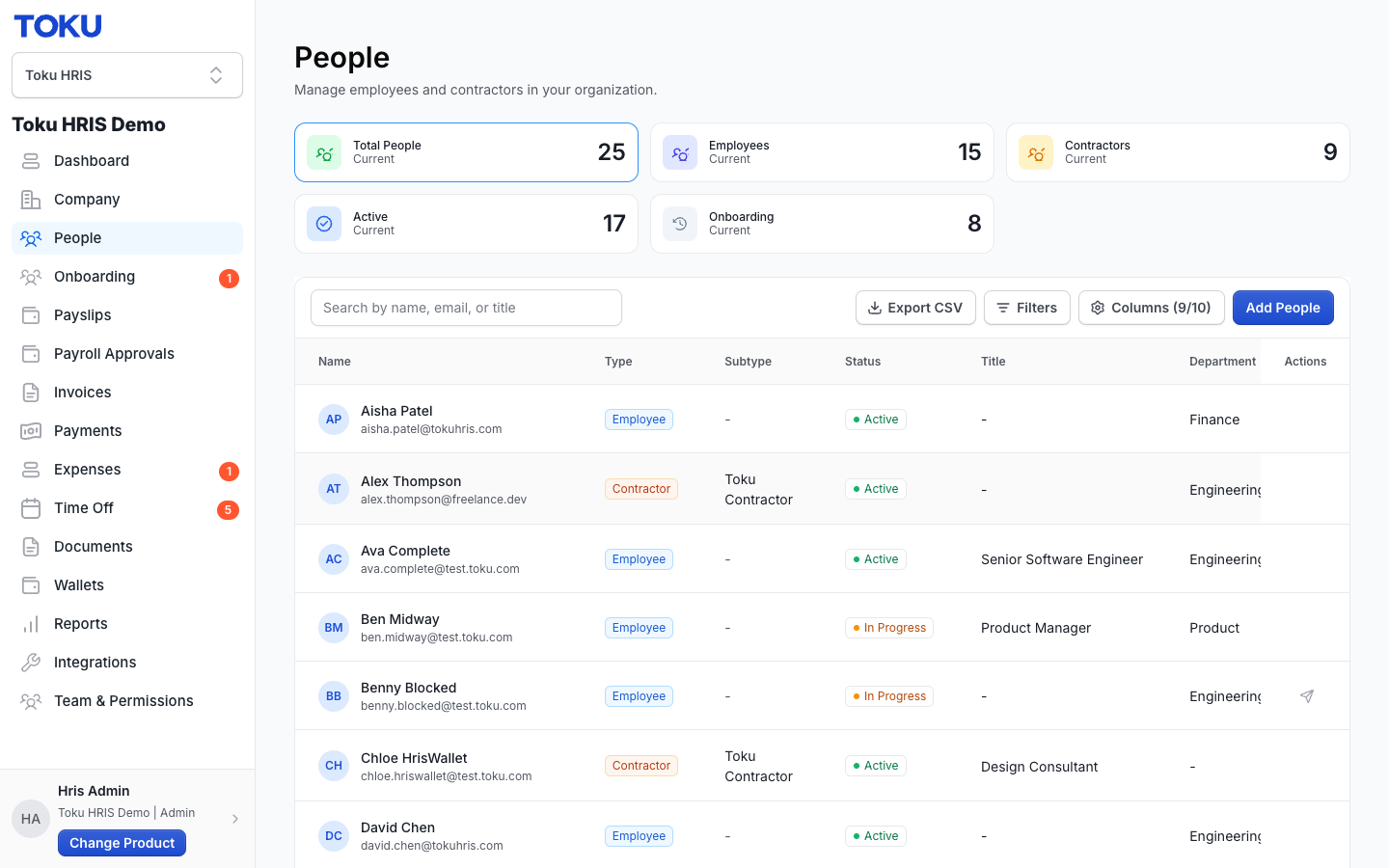
- Click the row for the person you are ending employment with. Their profile page opens.
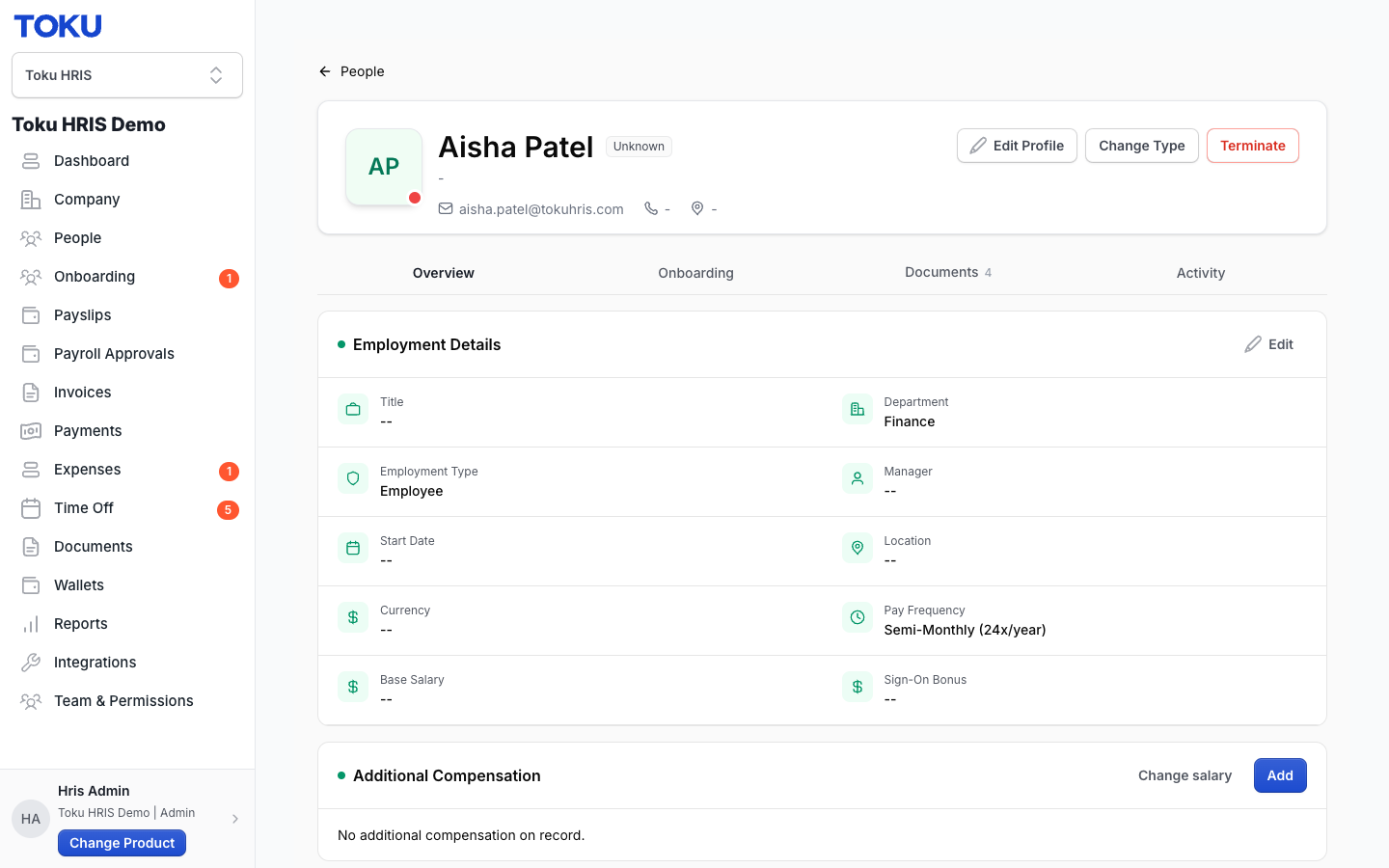
- Click the red Terminate button in the top-right of their profile, next to Edit Profile and Change Type. The Terminate Employee window opens with a notice confirming the request goes to Toku for approval before it takes effect.
Fill out the termination form
- Open the Termination Type menu and choose Voluntary (the person is leaving by choice) or Involuntary (your organization is ending the employment).
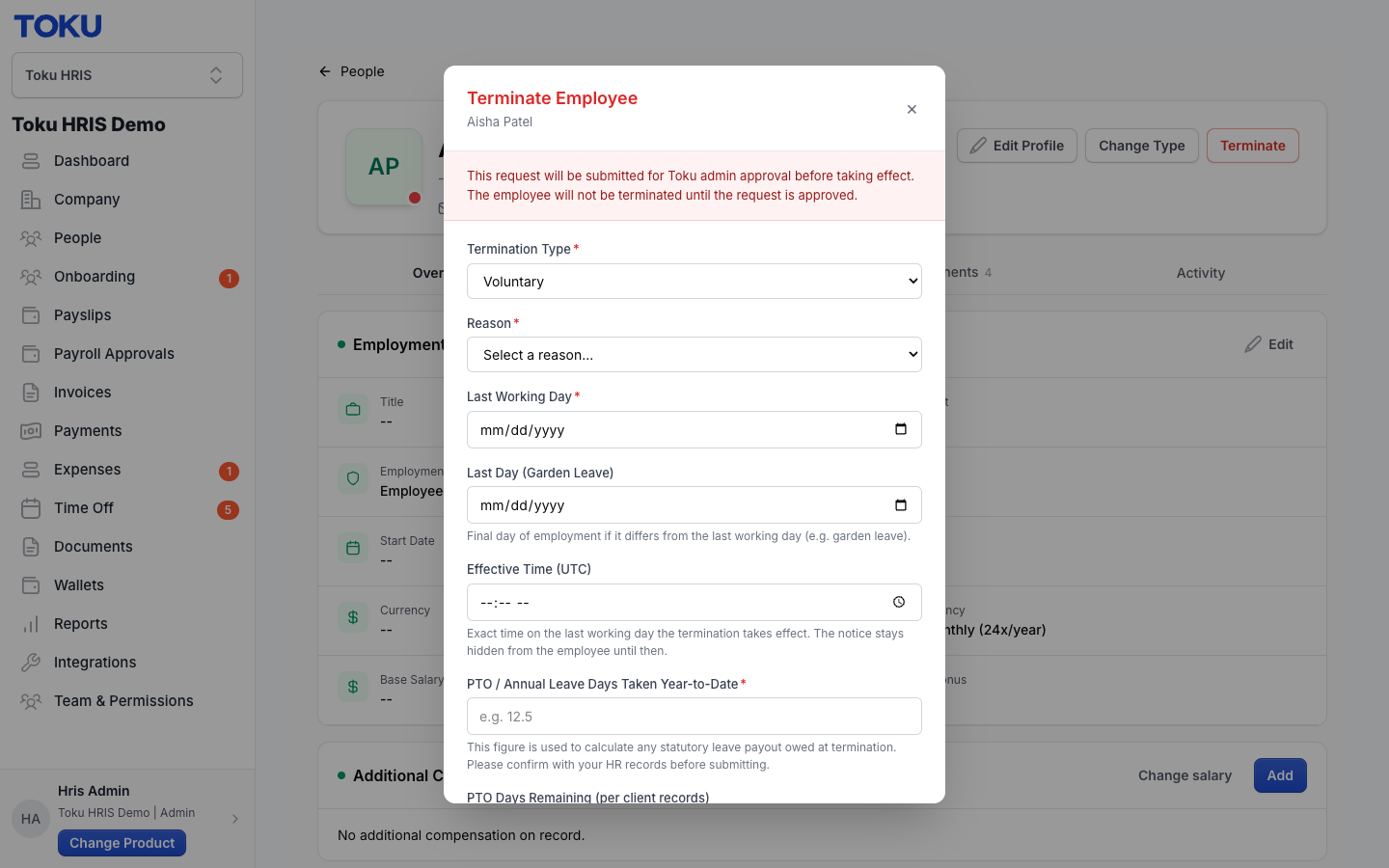
- Open the Reason menu and select the reason that fits. Type one or two sentences explaining the situation in the Reason Details box - this is required.
- Select the Last Working Day field and pick their final day of work. Two optional fields sit just below it: Last Day (Garden Leave), for when employment formally ends on a later date than their last working day, and Effective Time (UTC), the exact time on the last working day that the termination takes effect. Watch for any yellow notice about payroll timing - it means final pay might land in the following month.
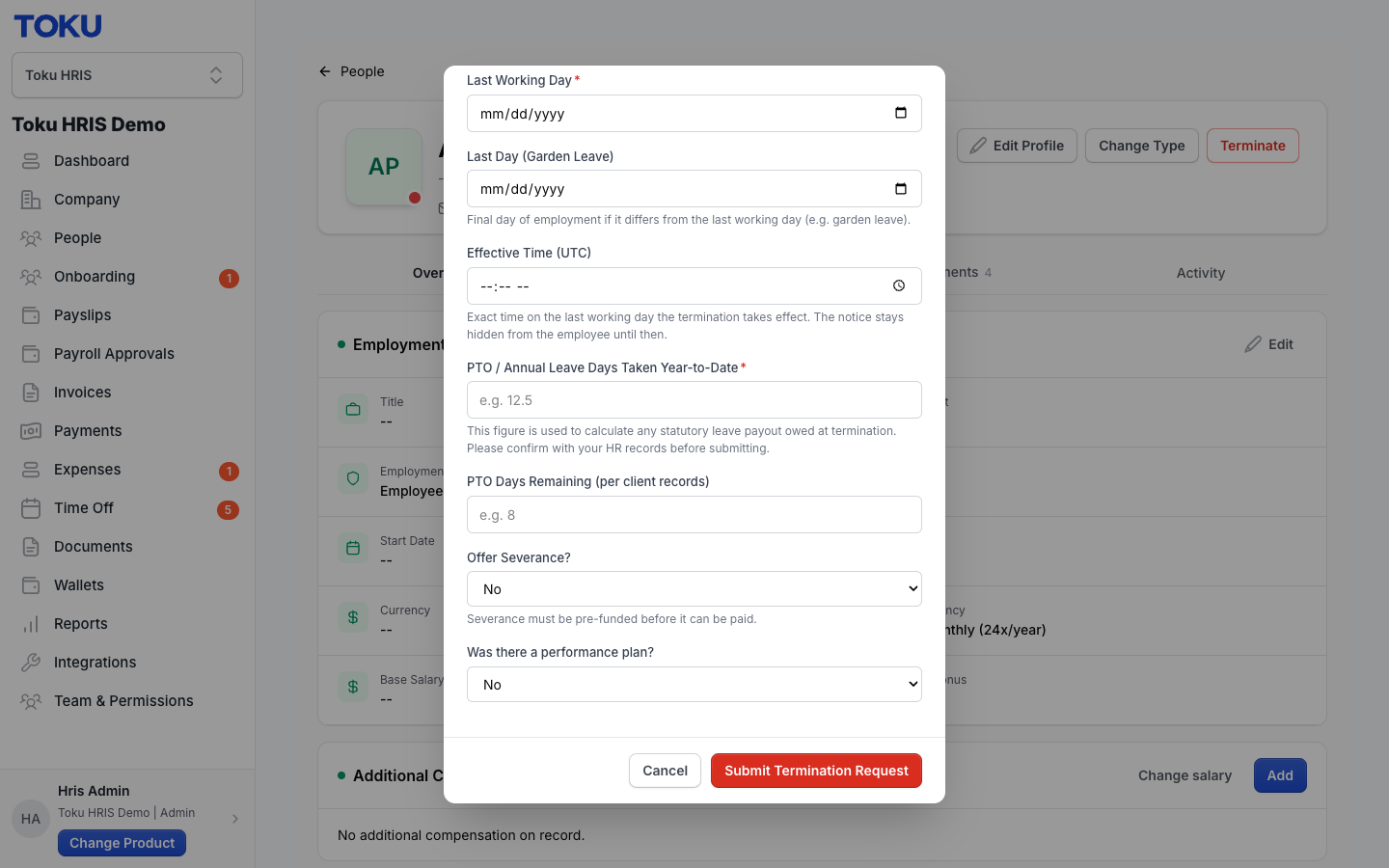
- Fill in PTO / Annual Leave Days Taken Year-to-Date (the number of paid leave days already used this year) - this is required. Fill in PTO Days Remaining (per client records) (unused days left; half days like 12.5 are fine).
- Optional: set Offer Severance? to Yes to include proposed discretionary severance. Statutory severance may apply separately based on local law. All severance details remain proposed until Toku completes its review, and required termination funding must be received and cleared before the related payment can be released.
- Answer Was there a performance plan? honestly, as it matters for involuntary terminations. Review every field, then select the red Submit Termination Request button.
After you submit
- Toku will review the proposed termination for country-specific risk, contractual and statutory notice requirements, required documentation, cost, and timing. The employee is not terminated until Toku approves the request, completes the required process, and the approved date and time passes.
- Toku will work with you to confirm the termination date, last working day, any garden leave, PTO payout, statutory or discretionary severance, benefits end date, token grant implications, and final payment date.
- Treat all dates and amounts as proposed until Toku confirms them in writing. If negotiations or facts change, notify your Toku representative immediately and update the platform where requested.
- Once the final payment is confirmed, Toku will provide any required pre-funding instructions. Required funds must be received and cleared by Toku before payment can be released and, where possible, at least three business days before the scheduled pay date.
- Send any updates promptly to your Toku representative and update the platform where requested. Toku will maintain the internal coordination record used by Payroll, Benefits, Token Grant Administration, and Finance.
Find the termination documents
- Termination paperwork is prepared after Toku approves the request, not before. Do not be surprised if documents are not visible right after you submit - they appear only after approval.
- Once the request is approved, open the person's profile (People page, then select their row) and select the Documents tab to view the paperwork. The person keeps access to their own documents even after they leave.
Good to know
- The platform request comes first: Toku begins its risk and compliance review only after the termination request has been submitted in the platform.
- Minimum notice periods: Give Toku at least 14 calendar days' notice. Local law, the employment contract, consultation requirements, or payroll timing may require more time and may require Toku to change the proposed date.
- Voluntary terminations: Tell Toku immediately after receiving a resignation and upload the resignation letter. Final wages are often due shortly after employment ends, so delays can make the requested date or payment timing impossible.
- Mutual termination agreements: The parties may have more flexibility to negotiate the end date and payment date, but no date or amount is final until the agreement is executed and Toku confirms the corresponding payroll schedule.
- Garden leave: If the person stops working before employment ends, enter the actual last working day and the full garden leave dates. The employment termination date, last working day, and garden leave period are different fields and must not be used interchangeably.
- Payroll cutoffs: For monthly payroll countries, the standard change cutoff is generally the 10th and all termination details must be final by the 20th. For the United States, Canada, the Philippines, and Brazil, use the cutoff for the applicable semi-monthly cycle in the payroll calendar.
- Off-cycle payroll: If a legally required final payment cannot be included in the regular cycle, an off-cycle payroll may be required. The minimum fee is $49 USD per person, country-specific fees may be higher, and at least four business days of processing time is required.
- Pre-funding: All required termination funding must be received and cleared before Toku releases the related payment. If full funding is not received, Toku will not remit discretionary or non-statutory termination amounts. Any statutory amount that must be paid will be handled according to local law, and the client remains responsible for all associated costs.
- Anything unusual: Include disputed dates, performance concerns, works-council or union requirements, visas, token grants, benefits, or proposed severance in the request. Do not assume the form alone resolves these issues.
Still stuck?
You can email [email protected] to reach our support team. Please include your email address, organization name, and a description of what happened. Screenshots and videos are always welcome to speed up the troubleshooting process. Feel free to reach out any time for further assistance.