
 3 MIN READ
 UPDATED OCT 30, 2026
Toku offers integrated background check services to help you maintain compliance and confidence throughout your hiring process. As an admin, you can enable automatic background checks for all new hires, ensuring every employee is screened consistently as part of their onboarding journey, no manual steps required after initial setup.
This article covers how to enable and configure background checks, what screening options are available, and how to monitor the status of checks for your onboarded employees.
Step:
- Login to https://app.toku.com
- Navigate to the “Company” tab.
- Click the “Settings” tab.
- Under “Hiring & Onboarding,” find “Background Checks” and click the toggle to turn it on.
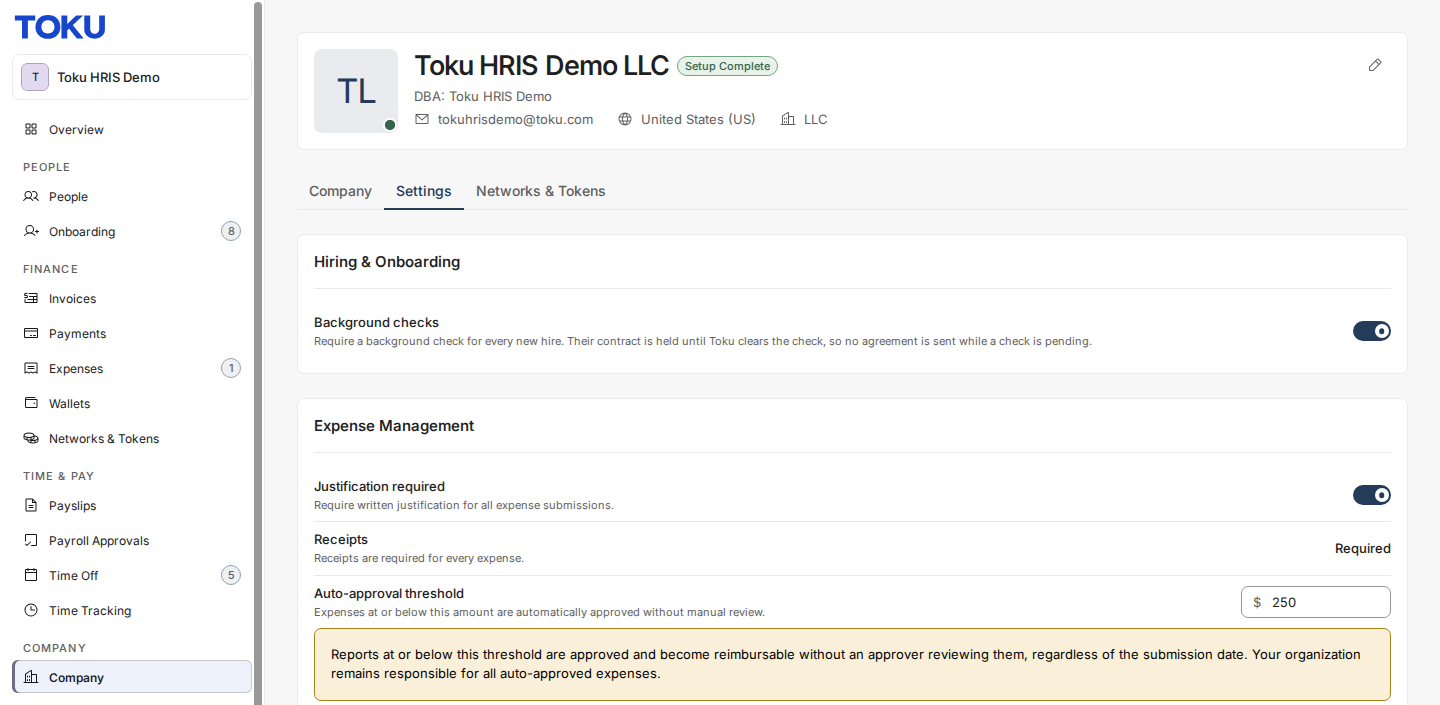
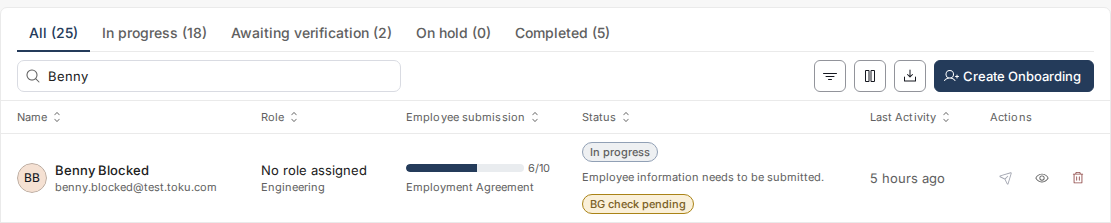
Once enabled, every new contributor is automatically routed through a background check as part of onboarding. Their employment agreement (or consulting agreement) is held and cannot be completed until they clear the check - once cleared, Toku releases the agreement for signature. This does not block any other part of onboarding; only the signing of the agreement is held pending results.
Toku partners with Checkr to provide streamlined global background screening for contributors. Background checks can be enabled through the Toku platform, and pricing varies depending on the type of check selected and the contributor’s country of residence.
✅ How to Enable Background Checks
To initiate background checks for all new contributors:
- Navigate to Company > Settings
- Under “Hiring & Onboarding,” click the toggle next to “Background Checks” to turn it on Once turned on, every new contributor's employment or consulting agreement is held until they clear the background check - the agreement is only released for signature after they pass. This does not hold up or block any other step of onboarding; it only applies to signing the agreement.
🌎 Which Package Should You Use?
Toku offers three background check packages. Which one applies depends on the contributor's age and country of residence:
| Package Name | Includes | |
| Background Check for Minors | County Criminal Search (Last 7 Years), Federal Criminal Search (Last 10 Years), Global Watchlist Search, National Criminal Search (Standard), Sex Offender Search, SSN Trace, State Criminal Search - for contributors under 18 | *Price varies, starting from $120.00 |
| Basic Professional Check | Aliases, Global Watchlist Search, National Criminal Search (Standard), Sex Offender Search, SSN Trace, Education Verification, Employment Verification - for contributors based in the U.S. | *Price varies, starting from $153.00 |
| International Professional | International Adverse Media Search, Criminal search outside the U.S. or adverse media search, Education verification outside the U.S., Employment verification outside the U.S., Global Watchlist Search - for contributors based outside the U.S. | *Price varies, starting from $186.00 |
📌 Note: All packages include SSN Trace (U.S.-based identity check) and Watchlist Screening, covering global sanctions and alerts. Final pricing depends on the specific checks run and the contributor's country of residence.
🕓 Timelines
- Background checks may take several weeks to complete, especially in countries where education/employment verifications are manual.
- Toku will notify you as soon as results are available.
💬 Next Steps
If you’d like to proceed:
- Let your Toku Customer Success Manager know which screening package you prefer.
- Toku will initiate the checks and the cost will appear on your next invoice.
- Passthrough fees Checkr works with state and county courts, DMVs, databases, and other third parties to complete your background checks. Some of these parties impose surcharges to the public to retrieve records, including those listed below. These surcharges are included in your invoice.
You are responsible for paying any withholding, sales, value-added, or other taxes, duties, or charges applicable to service fees.