
 2 MIN READ
 UPDATED NOV 4, 2026
For company admins on Toku Employment. Last updated November 4, 2026.
Toku warns you when a contractor invoice looks like another invoice from the same contractor, so you can catch a bill that was sent twice before you approve or pay it. The warning only informs you. It never blocks an approval or a payment, and the contractor is not told.
Before you start
- You need admin access to Invoices in Toku Employment.
- The check runs on its own for every company. There is nothing to switch on.
When Toku shows the warning
An invoice is marked as a possible duplicate when another invoice from the same contractor:
- is in the same currency,
- is for the same amount, or within 1% of it,
- has an invoice date less than 7 days away, and
- is waiting for review, approved or already paid. Reimbursement invoices are only compared with reimbursement invoices, and service invoices with service invoices. Draft, rejected, cancelled and failed invoices are ignored, so a contractor who corrects and resubmits a rejected invoice is not flagged. Invoices for the same amount sent exactly one week apart are not flagged either.
Check an invoice
- Go to Invoices and open the invoice.
- If it looks like another invoice, a Possible duplicate notice appears at the top of the page. It lists each matching invoice with its number, amount, invoice date and status, and says whether the amount is the same or only similar. Select an invoice number to open that invoice.
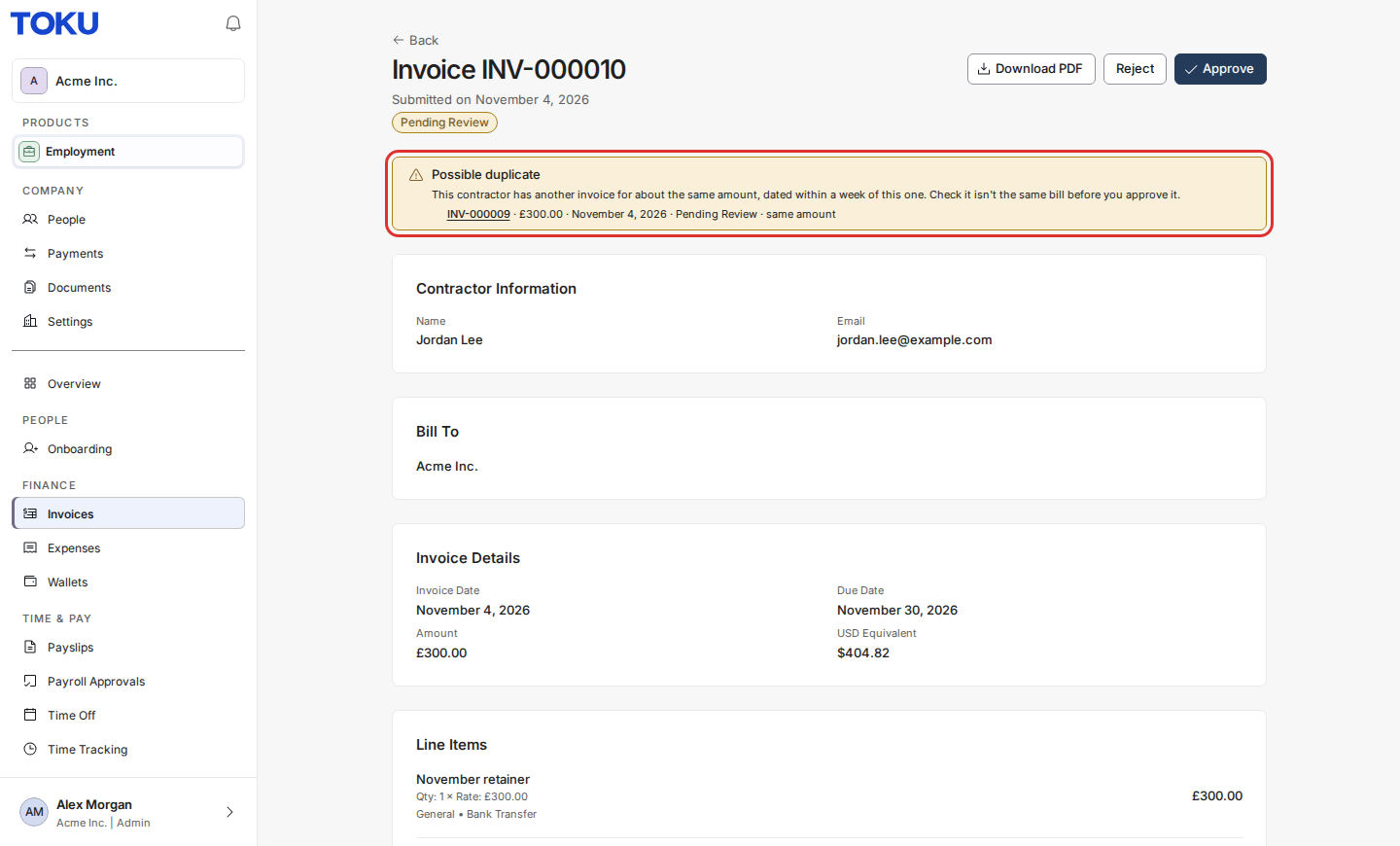
- Compare the two invoices. If they are the same bill, select Reject and give a reason. If they are separate pieces of work, approve the invoice as usual.
Approve one invoice
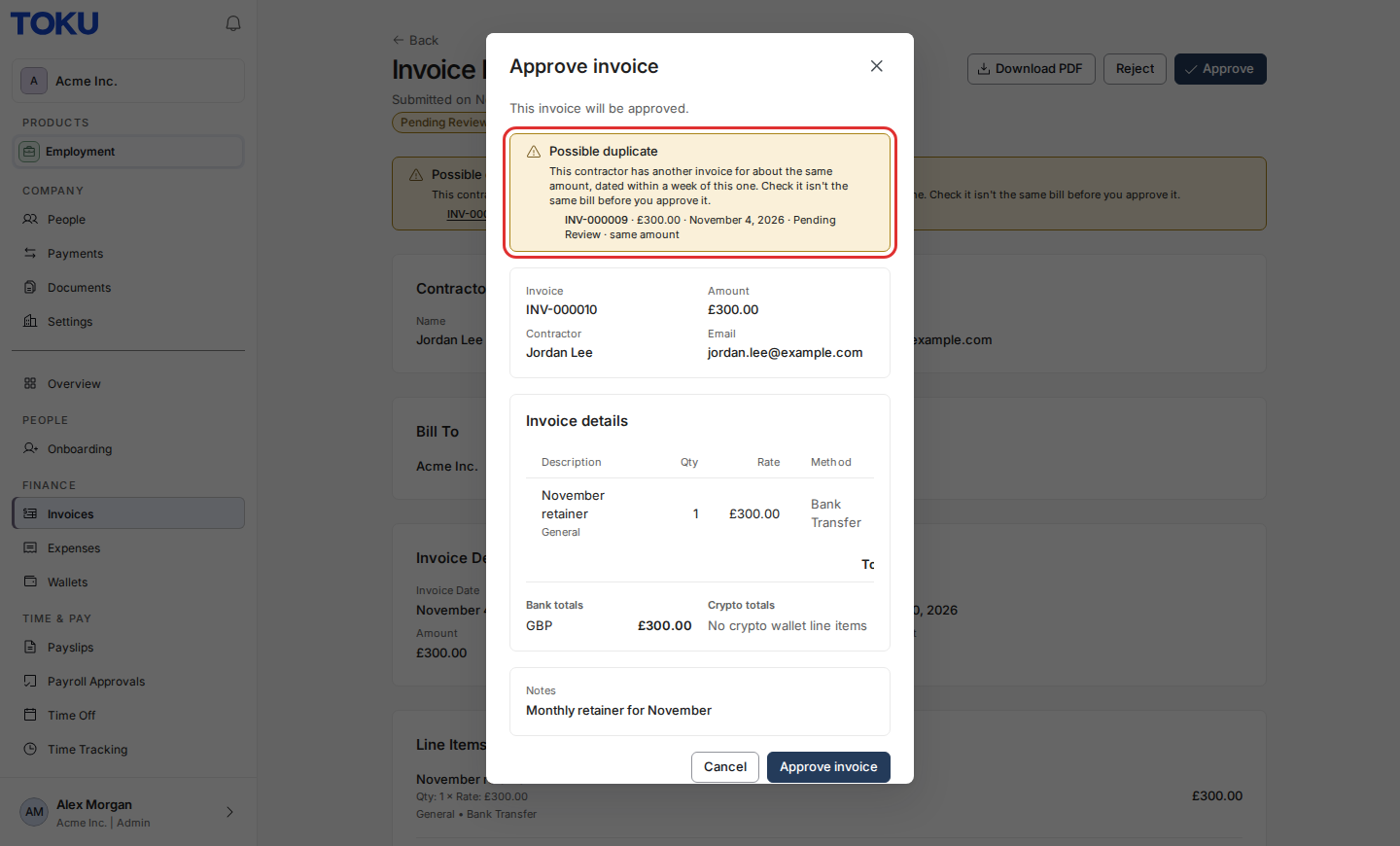
- Select Approve. The approval window shows the same notice above the invoice details, so you see it even when you approve from the invoice list. Approve invoice still works: the notice is a reminder, not a block.
Approve several invoices at once
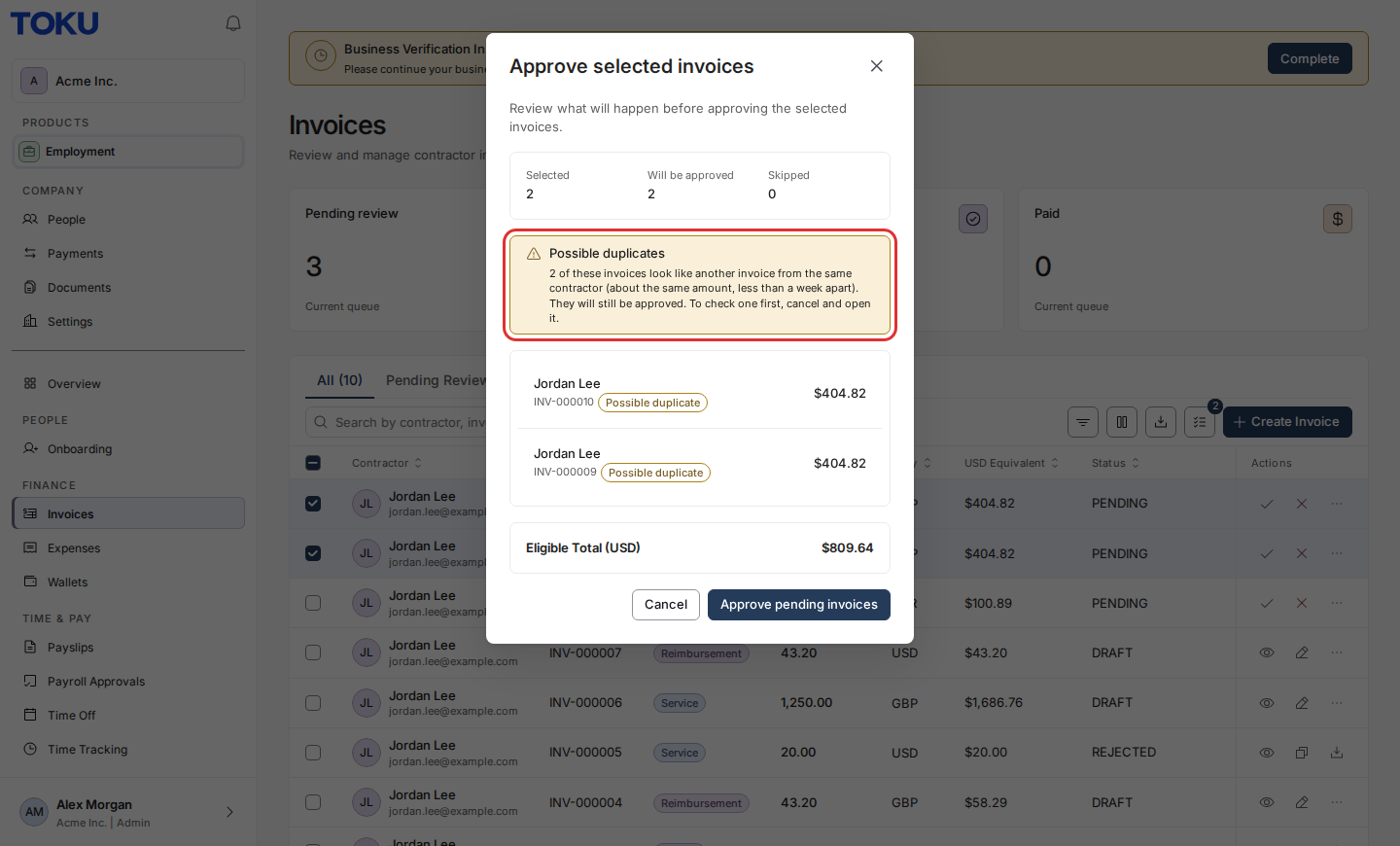
- On Invoices, select the invoices, then select Bulk actions and Approve. If any of them look like duplicates, the window says how many and marks each one with a Possible duplicate label. They will still be approved. To check one first, select Cancel and open it.
What contractors see
Nothing changes for contractors. They are not told that an invoice was flagged.
Good to know
- The notice never changes an invoice, its status or a payment.
- The comparison uses the invoice date, not the date an invoice was paid.
- An invoice can match more than one other invoice. The notice lists up to five, closest match first.
Still stuck?
Email [email protected] and tell us the invoice number.