
 3 MIN READ
 UPDATED NOV 3, 2026
📘 Audience: employees, contractors and token grant recipients · Customer-facing · Last updated November 3, 2026.
Who this is for
You use more than one Toku product (Employment, Stablecoin Payroll or Token Grants), and one of them is missing after you sign in. A common case: your token grants disappeared after your login email changed from a work address to a personal one.
This usually means you have two Toku logins, one for each email address, and each login only shows its own products. Your records are not gone. Merging the two logins puts every product under one login.
Step 1: Check whether the product is already there
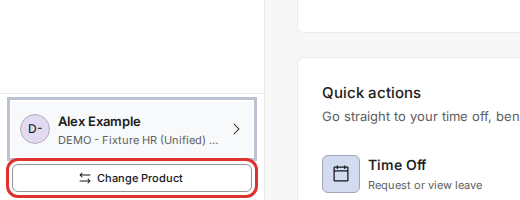
- At the bottom left of any page, select Change Product.
- The Choose Product & Role window lists every product and role your login can open. Token grants show with a purple Token Grants Administration badge. Select the row you need, then select the Continue as button.
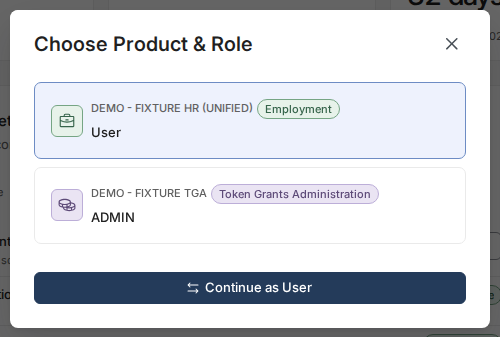
If the product you need is not in the list, it is probably on your other login. Go to Step 2.
Step 2: Merge your other login
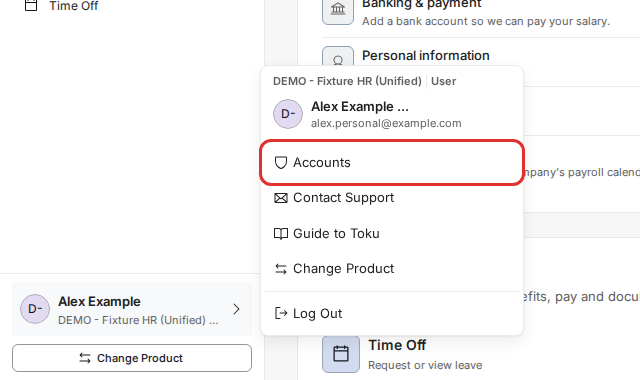
- Select your name at the bottom left, then select Accounts.
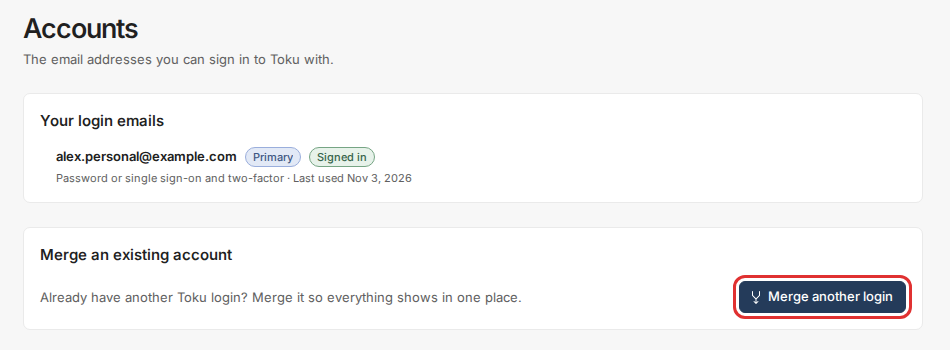
- Your login emails shows the email you are signed in with. Under Merge an existing account, select Merge another login.
- Type the email address of your other Toku login (for example, your old work email) and select Continue.
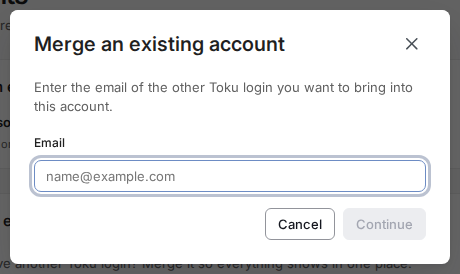
- Prove the other login is yours: sign in to it in the same window with its password, and its two-factor code if it has one. You stay signed in to your current login. If the other login uses single sign-on or Google, Toku signs you out, asks you to sign in with the other email, then brings you back to finish.
- Toku sends a confirmation link to the other email address. Open it to finish. Nothing changes until you do. The request stays open for 15 minutes; if it has expired, start again from Accounts.
- Done. Both email addresses now sign in to the same account, and Change Product lists all your products.
You can no longer open your other email
If the other address is a work email you no longer have (for example, after leaving your company), you can't receive the confirmation link. Email [email protected] with your full name, your organization's name and both email addresses. Toku support can merge the two logins for you.
You have left your company
Leaving your company does not delete your Toku login or your grant records. Unless your company has removed your access, sign in at app.toku.com and use Change Product to open Token Grants, where your grants, vesting schedule and grant documents are kept. If Token Grants is missing, follow Step 2 above, or contact support.
Good to know
- Merging moves everything from the other login into the one you are signed in with. The other email becomes a second way to sign in.
- Only you can start a merge from the Accounts page. Your company's administrators can't merge logins for you.
- If you see "We couldn't find a Toku account with that email", the address has no Toku login. Check the spelling, or try another address you may have used.
Still stuck?
Email [email protected] with your full name, your organization's name, the email addresses you have used with Toku, and a screenshot of the Choose Product & Role window.