
 3 MIN READ
 UPDATED NOV 6, 2026
For contractors on Toku Contractor and Toku HR. Last updated November 6, 2026.
When you ask to be paid back for expenses, you can drop your receipts on the invoice instead of typing each one. Toku reads every receipt, attaches it to the invoice and fills in one reimbursement line for it: what it was for, the merchant, the date, the amount and a category. If a receipt is in another currency, Toku suggests the amount in your invoice currency using the daily exchange rate for the receipt date. You check each line and submit the invoice as usual.
Before you start
- You need a contractor account with invoicing turned on by your company.
- Receipts can be PNG, JPG or PDF files, up to 10MB each. You can add up to 20 receipts at a time.
- Each receipt becomes its own line. Nothing is submitted until you submit the invoice.
Add expenses from receipts
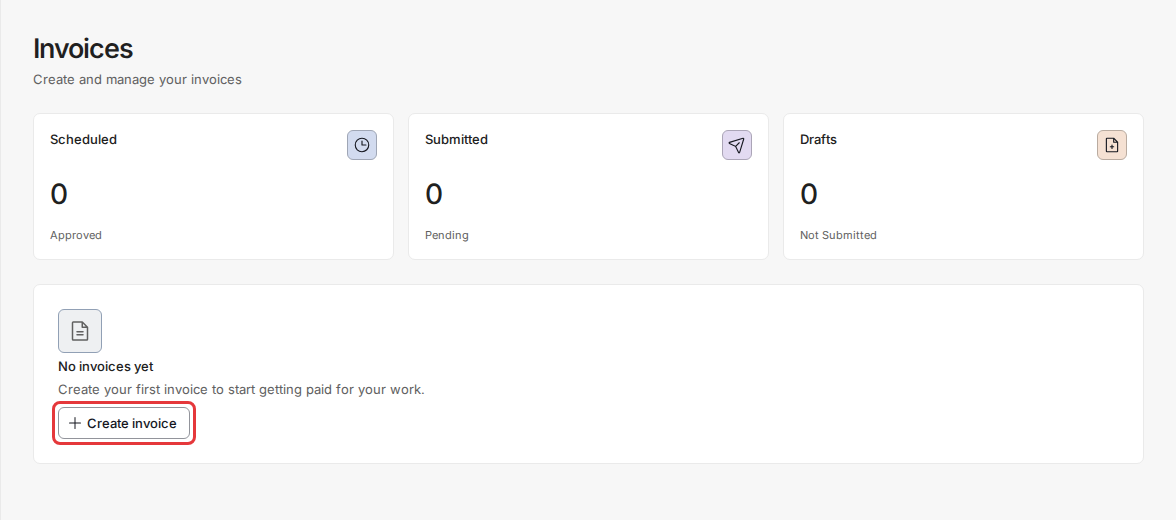
- Go to Invoices and click Create invoice (or New invoice if you already have invoices).
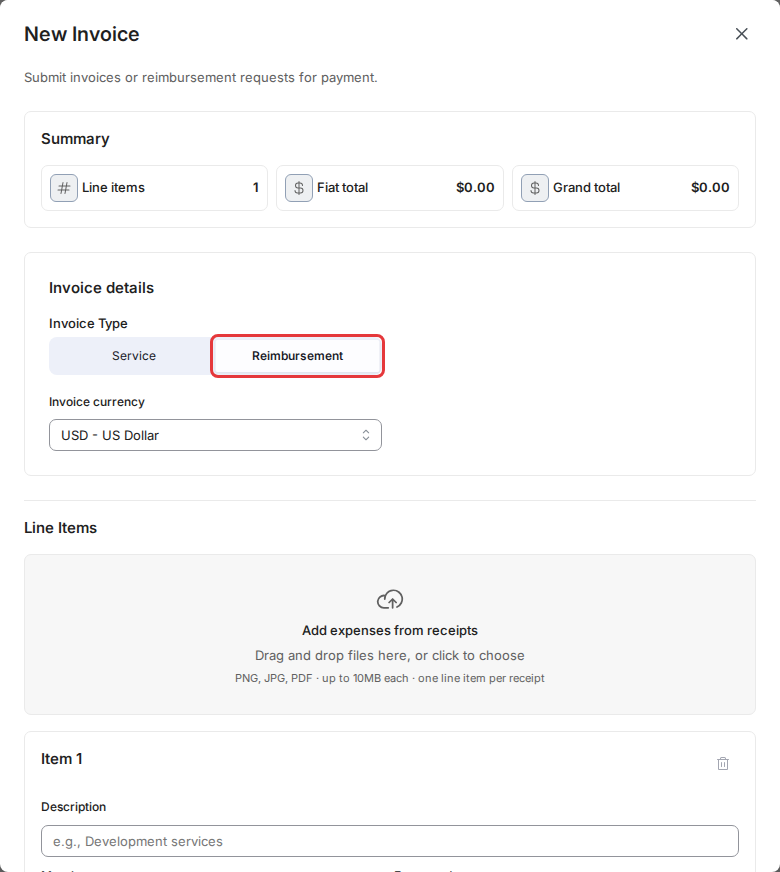
- Under Invoice Type, choose Reimbursement, and pick your Invoice currency.
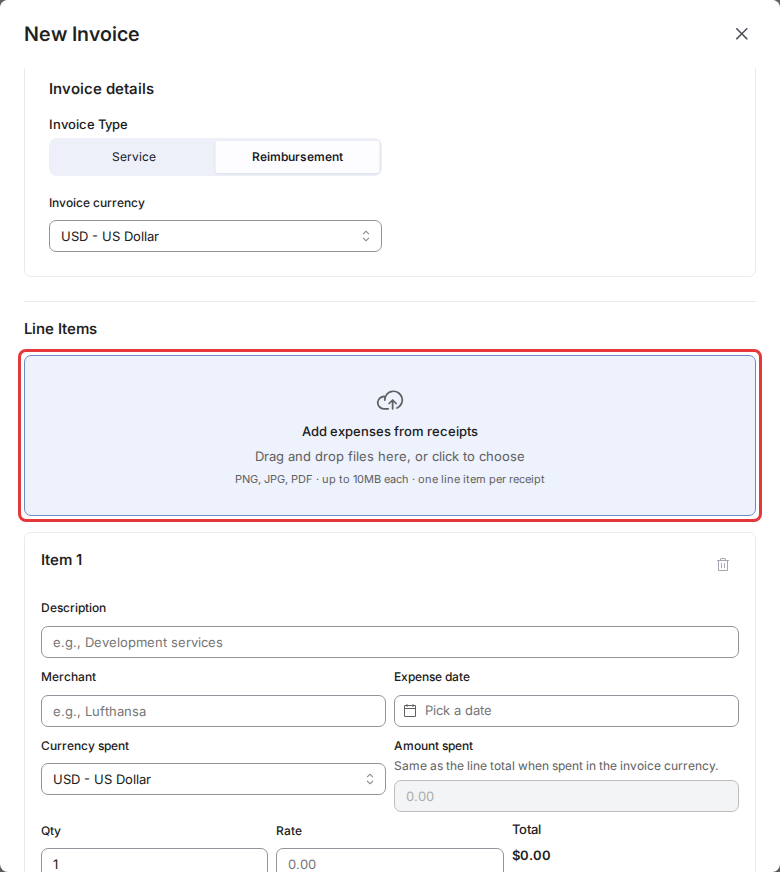
- Under Line Items, drag your receipts onto Add expenses from receipts, or click it to choose files. While Toku reads them, the area shows Reading receipts… and you can't change the invoice type or currency.
- Check each new line. A note at the top of the line shows which receipt it came from. If the receipt was in another currency, the note shows the amount on the receipt, the rate used and the date of that rate. The Rate holds the converted amount, and Currency spent and Amount spent keep what the receipt shows.
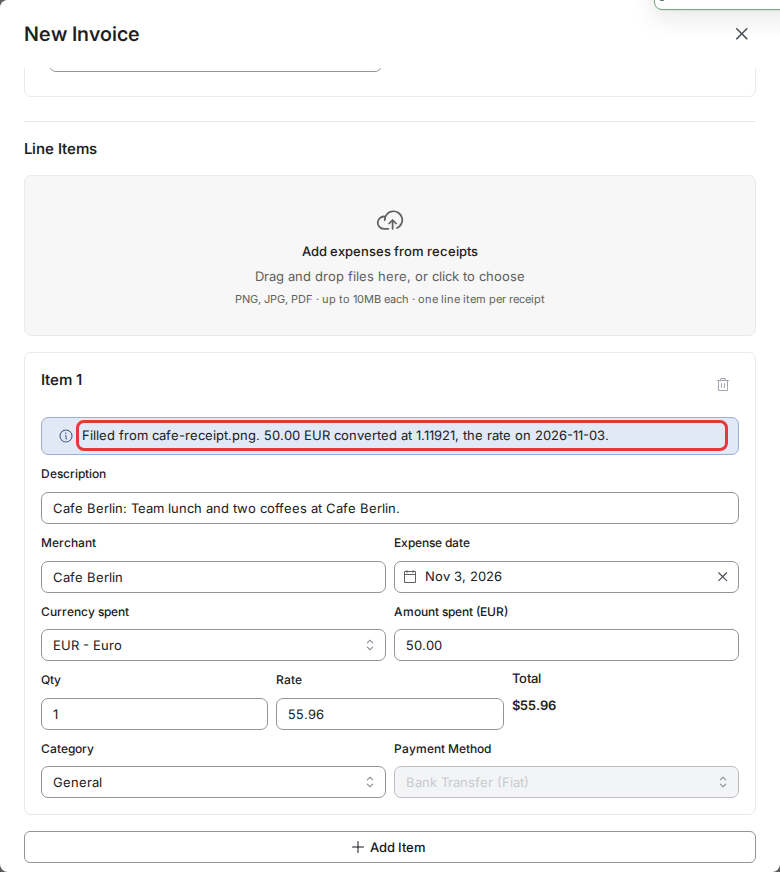
- Fix anything that looks wrong. Every field stays editable. The receipt is already attached at the bottom of the invoice.
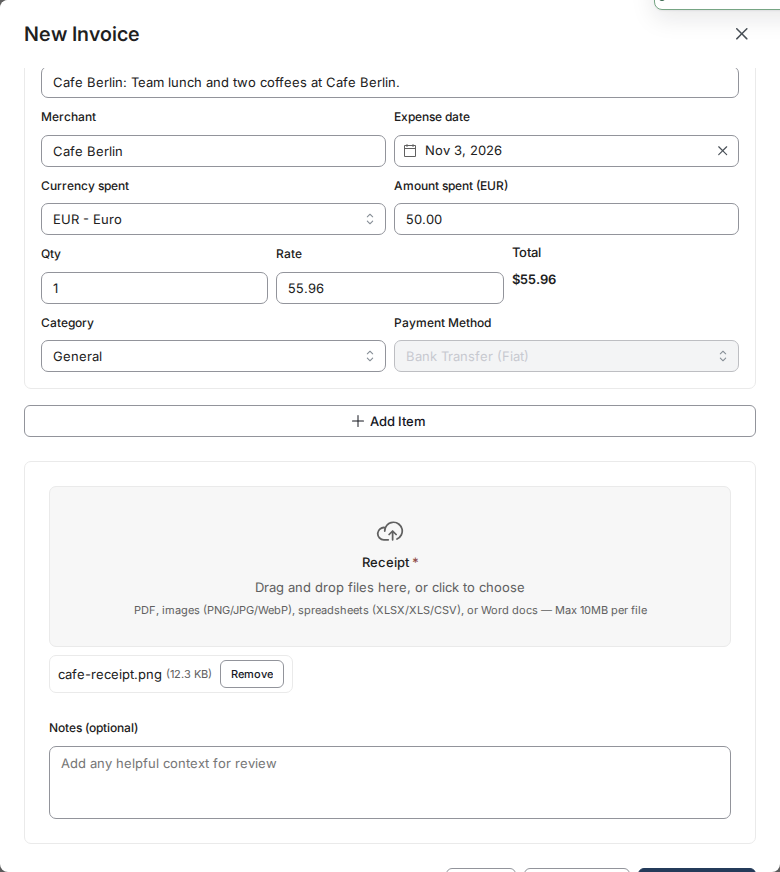
- Click Save as Draft or Submit Invoice as usual.
When a receipt can't be fully read
- If Toku can't read part of a receipt (for example the date or the amount), that field is left empty and the note tells you what to check.
- If a receipt can't be read at all, it's still attached to the invoice with an empty line for you to fill in.
- If no exchange rate is available for a receipt's currency, the Rate is left empty and the note shows the amount on the receipt so you can enter it yourself.
- If a receipt is dated in the future, the date is left empty and the amount is converted at today's rate.
Good to know
- If you change the invoice currency after adding receipts, the lines keep the amounts from the old currency. The note on each line asks you to enter the rate in the new currency, and you can't save until you do.
- An empty first line is replaced by the first receipt. Lines you already typed are kept, and receipt lines are added after them.
- You can also add receipts this way when you edit a draft reimbursement invoice.
- The suggested amount is only a starting point. What you submit is what your company reviews.
- There is a limit on how many receipts can be read per hour. If you reach it, wait a little and try again.
Still stuck?
Email [email protected] and we'll help.