
 3 MIN READ
 UPDATED OCT 30, 2026
⚠️ Contractor invoice and payment deadlines: late action means late payment
- Contractors: submit invoices by the 19th of each month. A saved draft is not a submitted invoice.
- Admins: approve invoices by the 21st of each month. Submission alone does not authorize payment.
- Funding: Toku must receive cleared funds 4 - 5 business days before payout. Initiating a transfer or sending proof of payment does not meet the deadline.
- Standard monthly payout: the last day of the month, provided submission, approval, and funding deadlines are met. Late submission, approval, or funding will delay payment. Every day of delay pushes payment back by at least one day. A missed payment cycle can cause a longer delay; the invoice due date is not a guarantee of payment.
Automation does not remove these deadlines. Earlier published holiday deadlines take precedence; see Toku: 2026 End-of-Year Payroll & Payment Guide.
📘 For contractors on Toku. Last updated October 30, 2026.
Termination does not by itself revoke your Toku login. Your historical account data remains readable unless your organization separately revokes your role or account access. This article covers what remains available after your engagement ends.
Before you start
- Historical access remains available automatically when termination takes effect, unless your organization separately revokes your role or account access.
- Sign in the same way you always have, with your usual Toku login.
View your Overview page
- Log in to your Toku account.
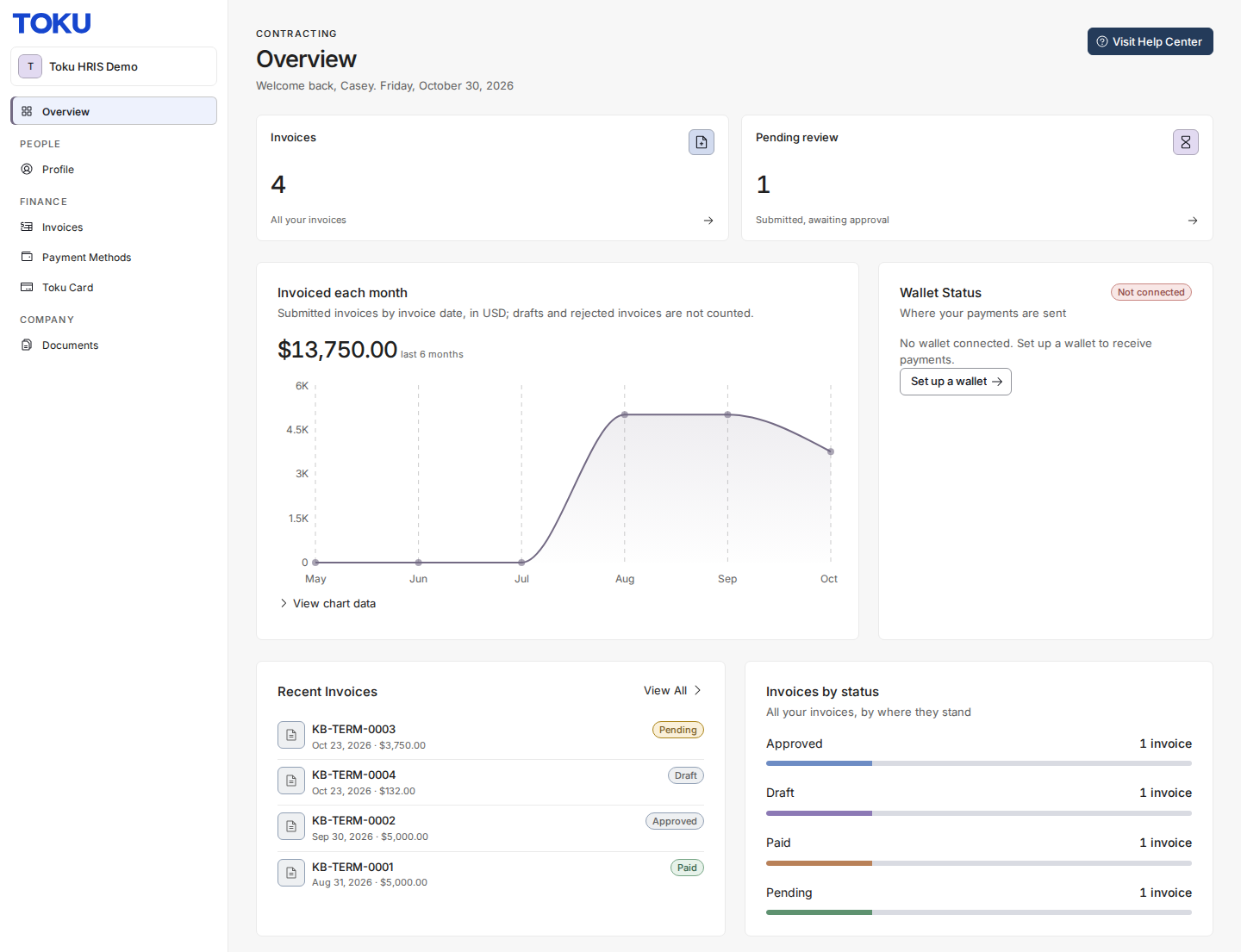
- Your Overview page (previously called Dashboard) loads with your historical invoice activity and the same HRIS navigation as before. The page should not show the incomplete-data error banner.
View your Invoices
- Open Invoices in the left-hand menu.
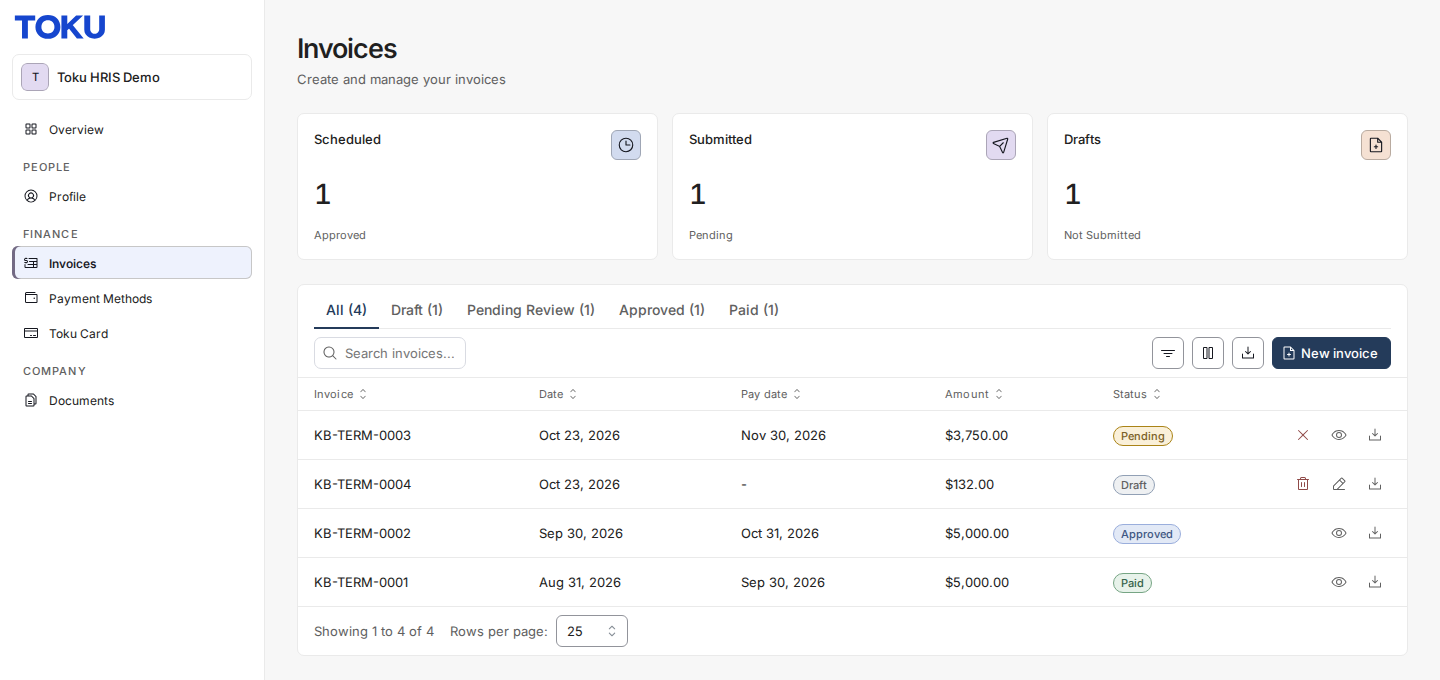
- Your invoice history loads, including prior invoices that are still in progress and invoices already paid. Status labels show processing state; they do not establish that a particular row was your final invoice.
Good to know
- Your Overview page and invoice history remain available after termination unless access is separately revoked. Payslips are only for employee profiles, so a contractor account has no Payslips page. If invoices were generated automatically, no new ones are created for periods after your last working day. You can still submit your own invoice, as described below.
- You can still submit a final invoice for work completed before your last working day. It goes through the same approval process as any other invoice before it's paid.
- If your Dashboard showed “Some data could not be loaded. Displayed values may be incomplete.” or your Invoices tab looked empty right after your engagement ended, that was a bug and it was fixed on August 12, 2026. Your data was never removed - sign in again to see your history.
Still stuck?
You can email [email protected] to reach our support team. Please include your email address, organization name, and a description of what happened.