
 1 MIN READ
 UPDATED OCT 30, 2026
Labour inspections ask for daily records - who worked, when they started and stopped, and what breaks they took. The Time Tracking export produces exactly that.
How to export
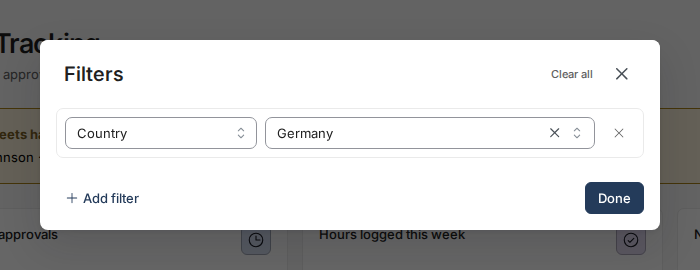
- Open Time Tracking, select the All entries tab, and set any filters you need (country, compliance status, date range) - the export respects them.
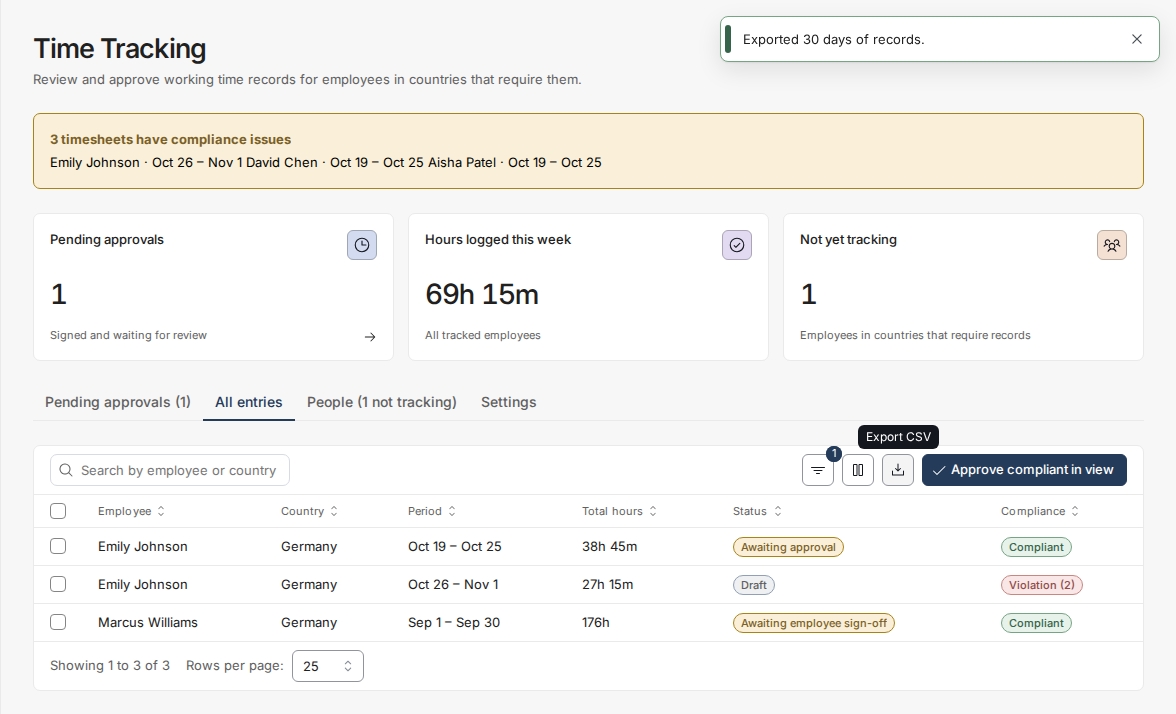
- Click Export CSV (the download icon) at the top right of the table.
What the file contains
- One row per day, not per timesheet - the legal obligation is a daily record, and a period summary would not satisfy an inspector.
- Start, end, break start/end and break minutes, and net hours for every day, rendered in the employee's own timezone (the timezone is its own column, so the file is self-explaining).
- Whether the day was recorded manually or generated by Autopilot - an auditor's first question about a generated record is who stands behind it.
- The period's status and compliance verdict, any findings on the day, and the signature: who signed, and when.
- Holiday and leave markers, and any note the employee attached. The file opens directly in Excel or Google Sheets. Values are escaped so notes cannot be misread as formulas.
Questions not covered here? Email [email protected].